
Optimizing Corporate Volunteer Web Pages: Tips & Examples
Your nonprofit’s website is more than just a digital brochure; it is your most powerful recruitment tool. While many organizations invest heavily in donation pages, far fewer optimize their web presence for another critical resource: corporate volunteerism. With the rise of corporate social responsibility (CSR), companies are eager to send employee teams to support causes like yours. But if your website doesn’t explicitly welcome them, you are leaving valuable support and potential revenue on the table.
Corporate volunteer web pages serve as the bridge between a company’s desire to give back and your organization’s need for support. These specialized pages do more than just list volunteer shifts; they educate visitors about Volunteer Time Off (VTO), promote volunteer grants, and streamline the scheduling process for large groups. By optimizing these pages, you not only fill volunteer slots but also unlock “dollars for doers” grants that companies donate in recognition of employees’ time.
In this guide, we’ll cover:
- The strategic value of dedicated corporate volunteer pages
- Real-world examples of high-performing nonprofit pages
- Essential features every corporate volunteer page needs
- SEO strategies to help companies find your opportunities
- How to integrate volunteer grants and VTO into your web copy
Keep reading to turn your website into a corporate engagement engine.

The Strategic Value of Corporate Volunteer Pages
A dedicated corporate volunteer web page is not just a nice-to-have; it is a strategic asset for modern nonprofit fundraising. Companies today are actively seeking partners for their CSR initiatives. They need reliable, organized nonprofits that can host team-building events, offer skills-based volunteering, and provide measurable impact data.
If a corporate social responsibility manager lands on your site and sees only a generic “volunteer” form intended for individuals, they may assume you cannot handle a group of 50 employees. A dedicated page signals that you are “corporate-ready.” It builds trust by showing you understand their specific needs, such as group scheduling, brand visibility, and impact reporting.
Furthermore, these pages are the perfect vehicle for promoting volunteer grants. Many employees don’t know their company will donate money—often $10 to $25 per hour—for the time they spend volunteering. By explicitly mentioning these programs and providing tools to check eligibility, you transform standard volunteer hours into a dual revenue stream of time and money.
Did You Know? The value of a volunteer hour is estimated to be over $31. When you combine this labor value with a corporate volunteer grant, a single afternoon of service from a corporate team can be worth thousands of dollars to your mission.
Best-in-Class Examples of Corporate Volunteer Web Pages
To understand what works, let’s analyze five organizations that have successfully integrated corporate engagement into their web presence. These examples demonstrate different approaches to soliciting corporate support, from educational content to interactive tools.
1. Jack’s Basket
Jack’s Basket, a nonprofit celebrating babies with Down syndrome, offers a masterclass in transparency and ease of use. Their page, titled “Corporate Sponsored Volunteering,” immediately frames the conversation around the partnership between employer and employee.
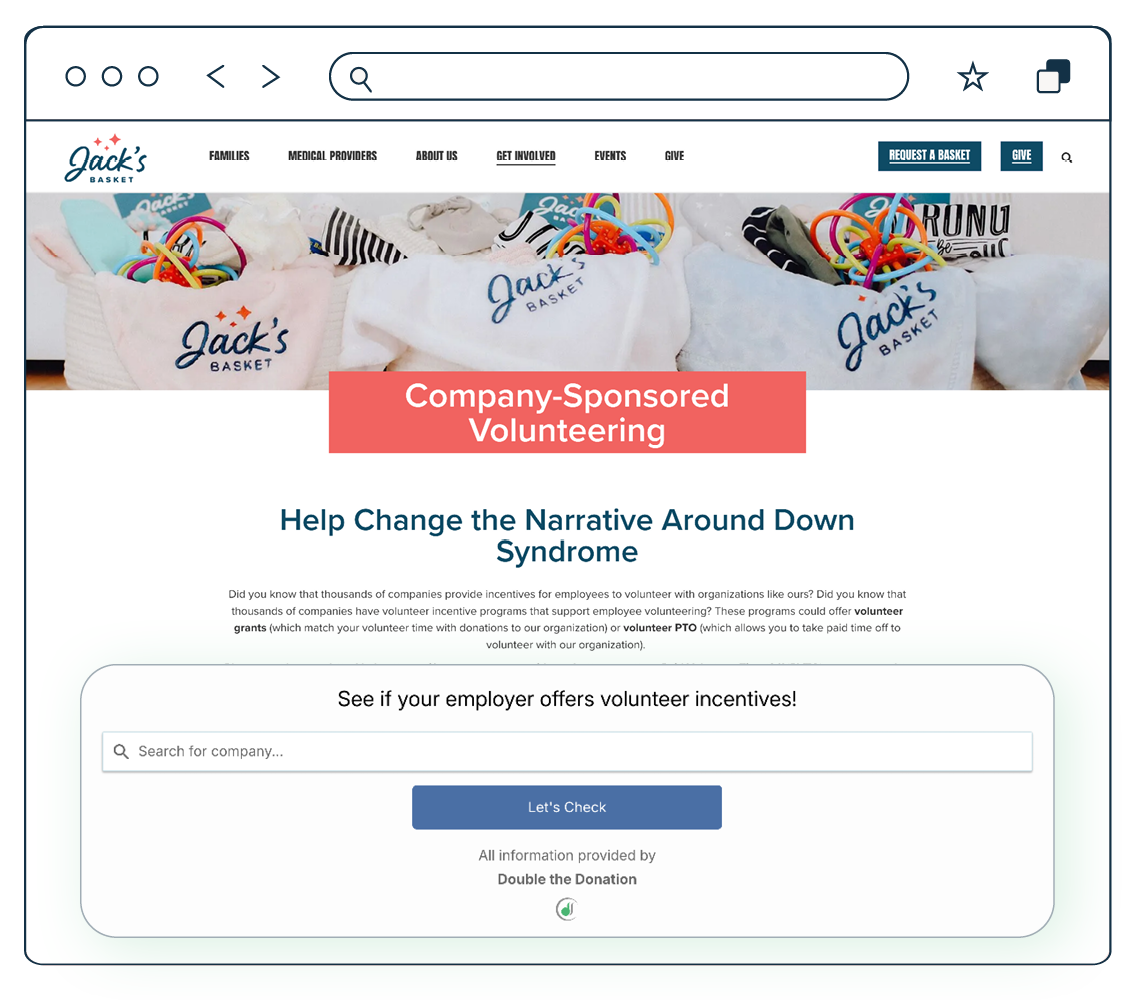
What they do right:
- Direct Educational Hook: They open with a powerful question: “Did you know that thousands of companies provide incentives for employees to volunteer?” This immediately educates visitors who might be unaware of their own benefits.
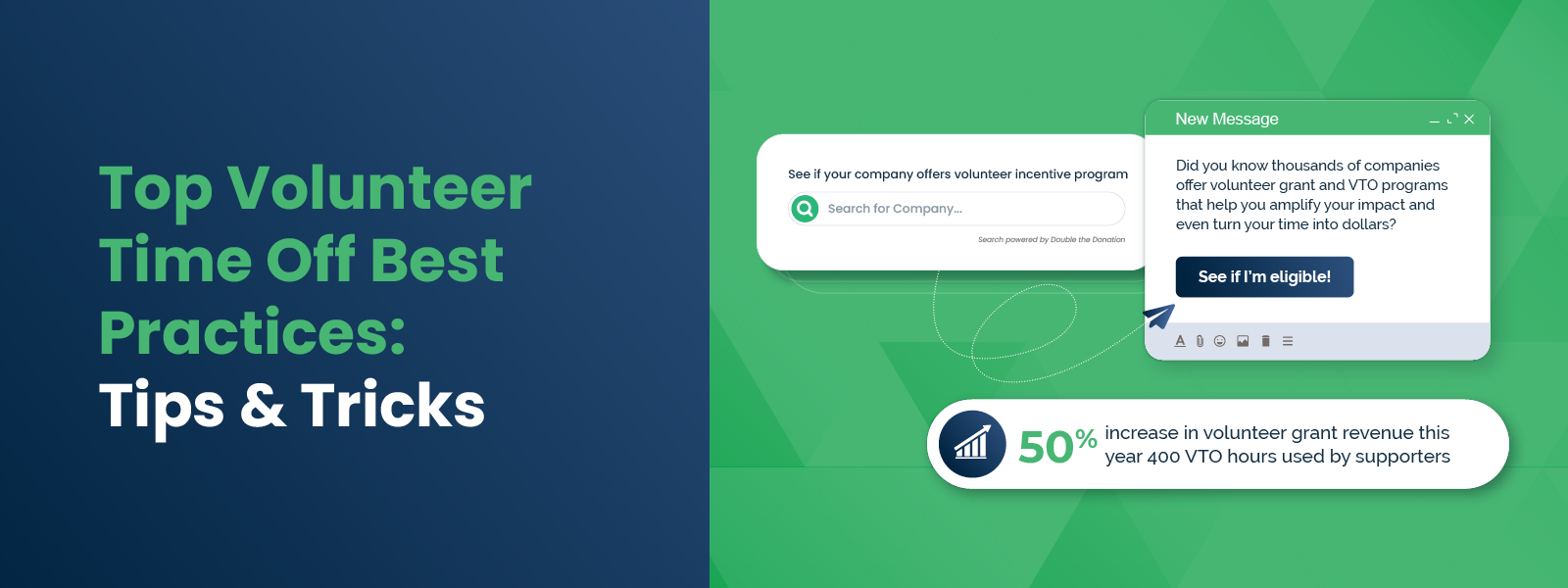
- Embedded Search Tool: The standout feature is the embedded search tool that allows visitors to type in their employer’s name. This tool instantly tells the user if their company offers volunteer grants or Paid Volunteer Time Off (PVTO).
- Clear Call to Action: They provide a direct email address for questions, removing barriers for corporate leads who might have specific inquiries.
Takeaway: Don’t make volunteers guess. Give them a tool to verify their eligibility right on the page.
2. AHS Cares
Associated Humane Societies (AHS Cares) takes an educational approach. Their page is designed to demystify industry jargon like “VTO” and “Volunteer Grants” for the average supporter.
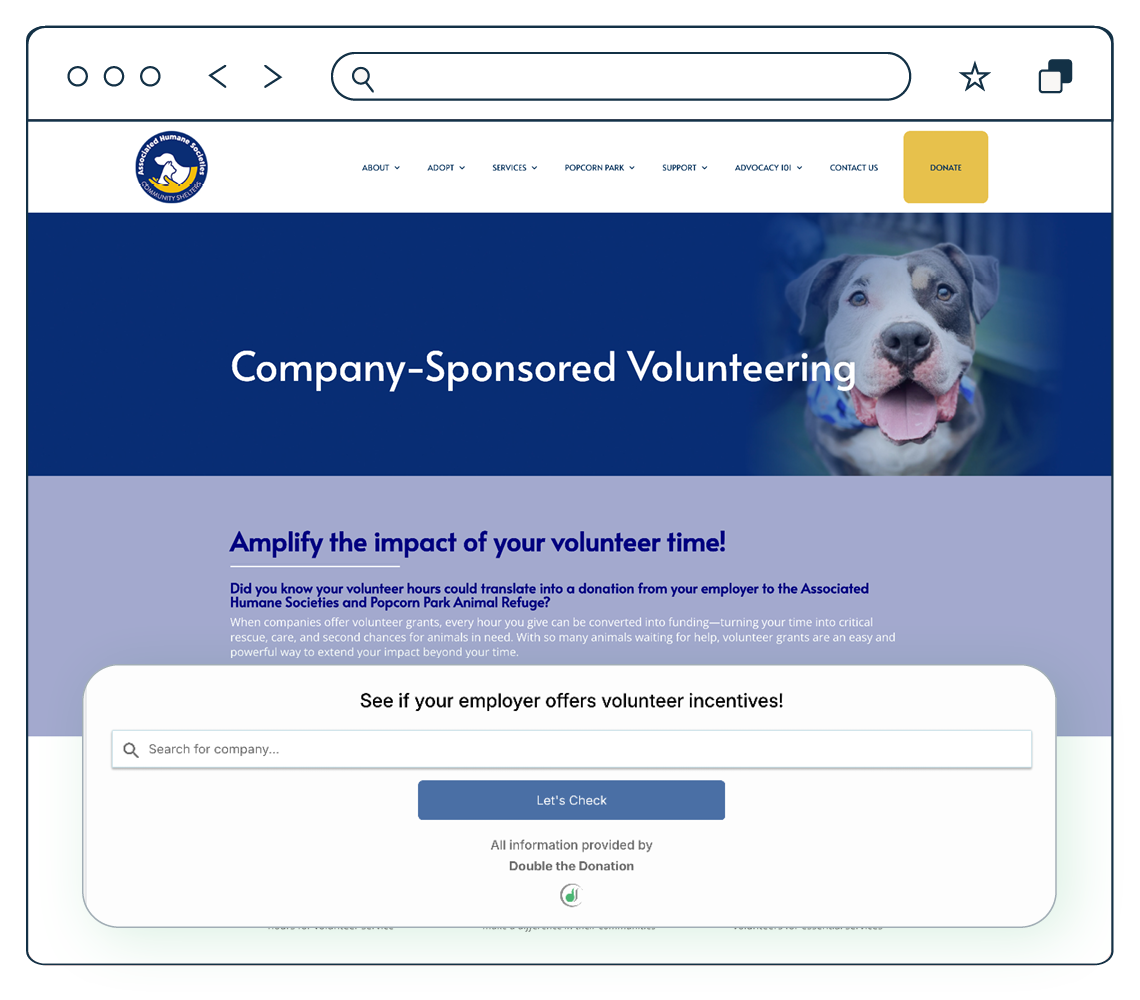
What they do right:
- FAQ Format: They use a clean FAQ section to define terms like “Volunteer Grants” and “Volunteer Time Off.” This is crucial because many employees have these benefits but don’t recognize the terminology.
- Connecting Time to Money: They explicitly state, “Every hour you give can be converted into funding,” helping volunteers understand that their time has a financial value to the shelter.
- Step-by-Step Instructions: They break down the submission process into simple steps: Check eligibility, volunteer, and submit the form. This reduces administrative friction.
Takeaway: Use your web page to teach. The more your volunteers understand the value of their time, the more likely they are to submit grant requests.
3. Phoenix Children’s Foundation
Phoenix Children’s Foundation positions corporate volunteering as a high-level partnership. Their page speaks directly to business leaders and CSR managers, rather than just individual employees.
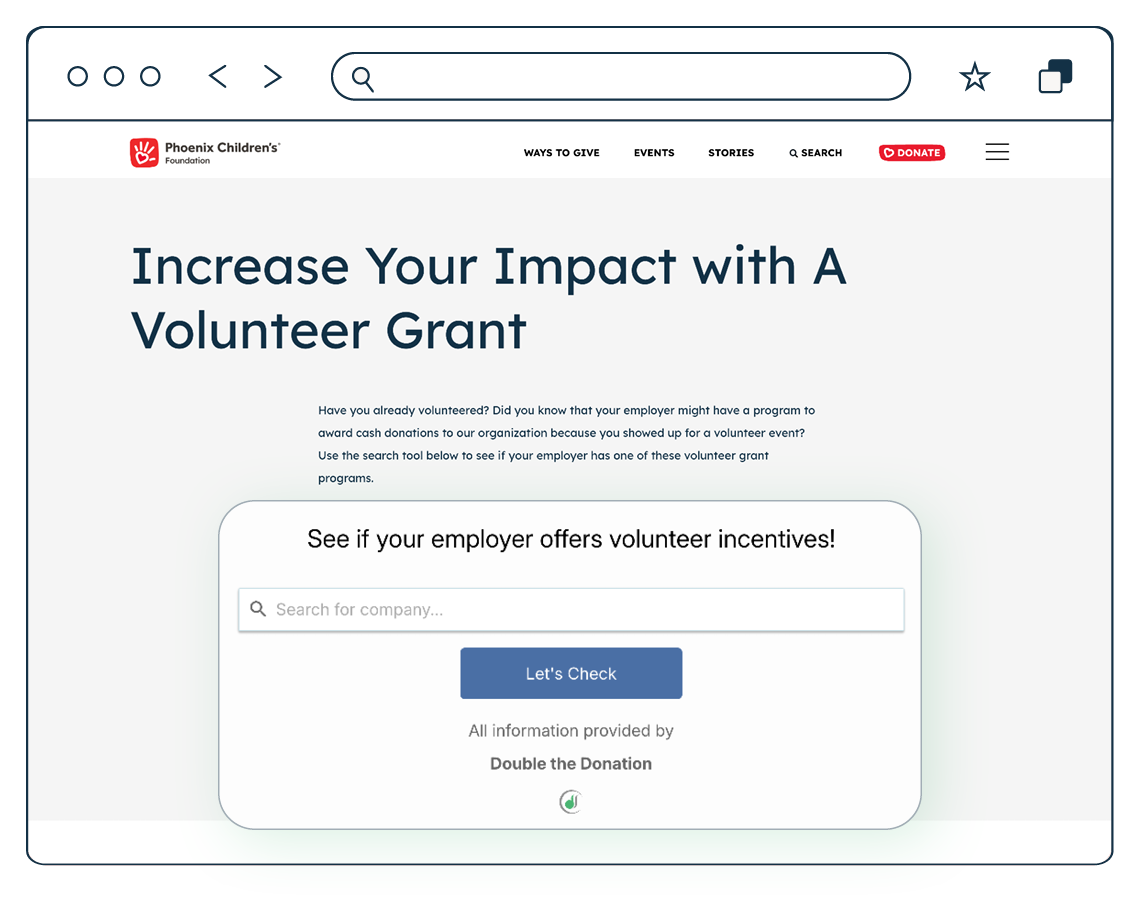
What they do right:
- Benefit-Driven Copy: They highlight the business benefits of partnering, such as “building deep and lasting relationships with your employees.” This appeals to HR directors looking for retention strategies.
- Multiple Engagement Paths: They don’t just ask for time; they offer a menu of options, including “Become a Corporate Partner,” “Create an Event,” and “Organize a Fundraiser.” This allows companies to engage at a level that suits their resources.
- Professional Tone: The language is professional and strategic, signaling that they are capable of handling complex corporate relationships.
Takeaway: Speak the language of business. Highlight how volunteering with you benefits the company as much as the cause.
4. Koreatown Youth + Community Center (KYCC)
KYCC in Los Angeles excels at integrating corporate giving options into their general volunteer workflow. They don’t silo corporate information; they weave it into the main volunteer narrative.
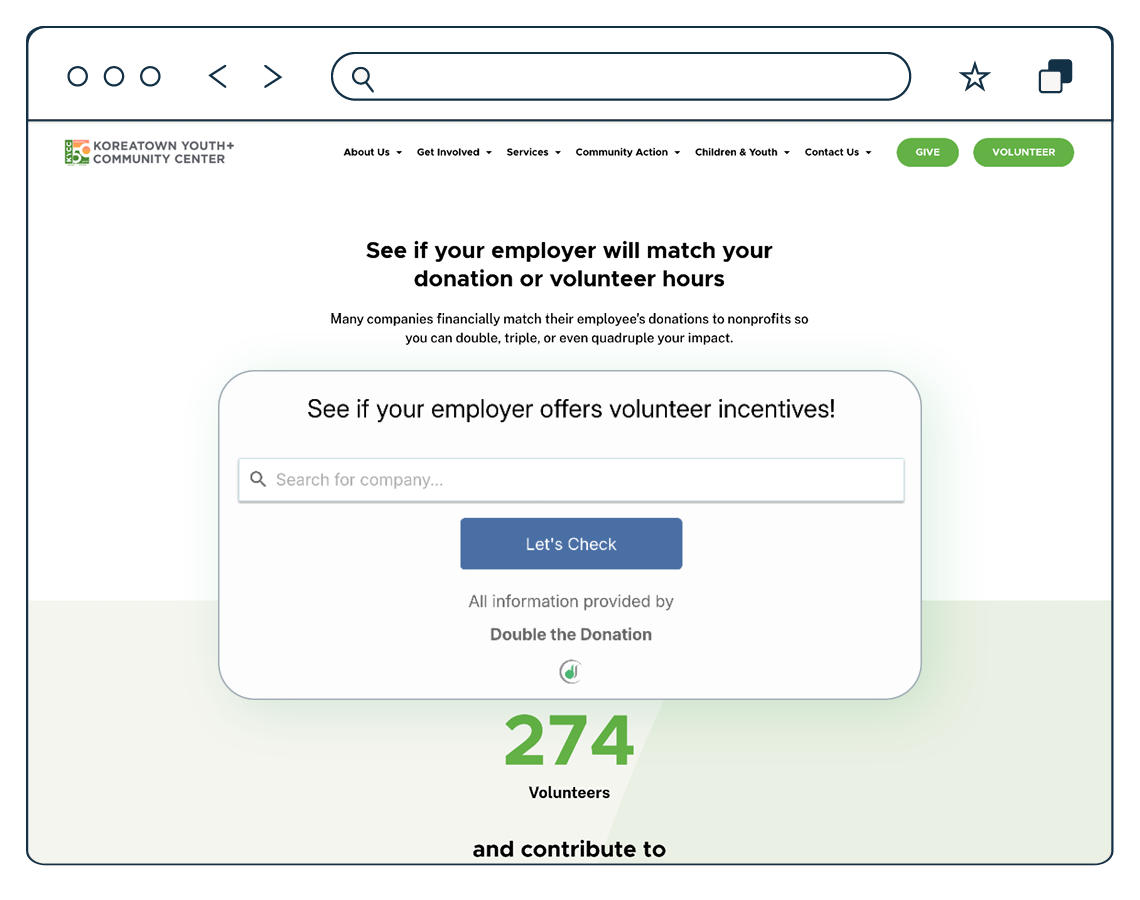
What they do right:
- Seamless Integration: As visitors browse volunteer opportunities, they are presented with a “See if your employer will match your volunteer hours” widget. This captures intent at the moment of highest engagement.
- Group Opportunities: They explicitly mention “Volunteer as a group!” and offer a specific “Group Volunteer Event Interest Form.” This allows corporate team leads to bypass standard individual sign-ups and start a tailored conversation.
- Impact Metrics: They showcase data like “4,784+ Volunteer Hours” and “2,000+ Volunteers,” giving corporations confidence that they are joining a robust, well-managed program.
Takeaway: Make corporate engagement part of the standard volunteer journey. Every volunteer is a potential corporate lead.
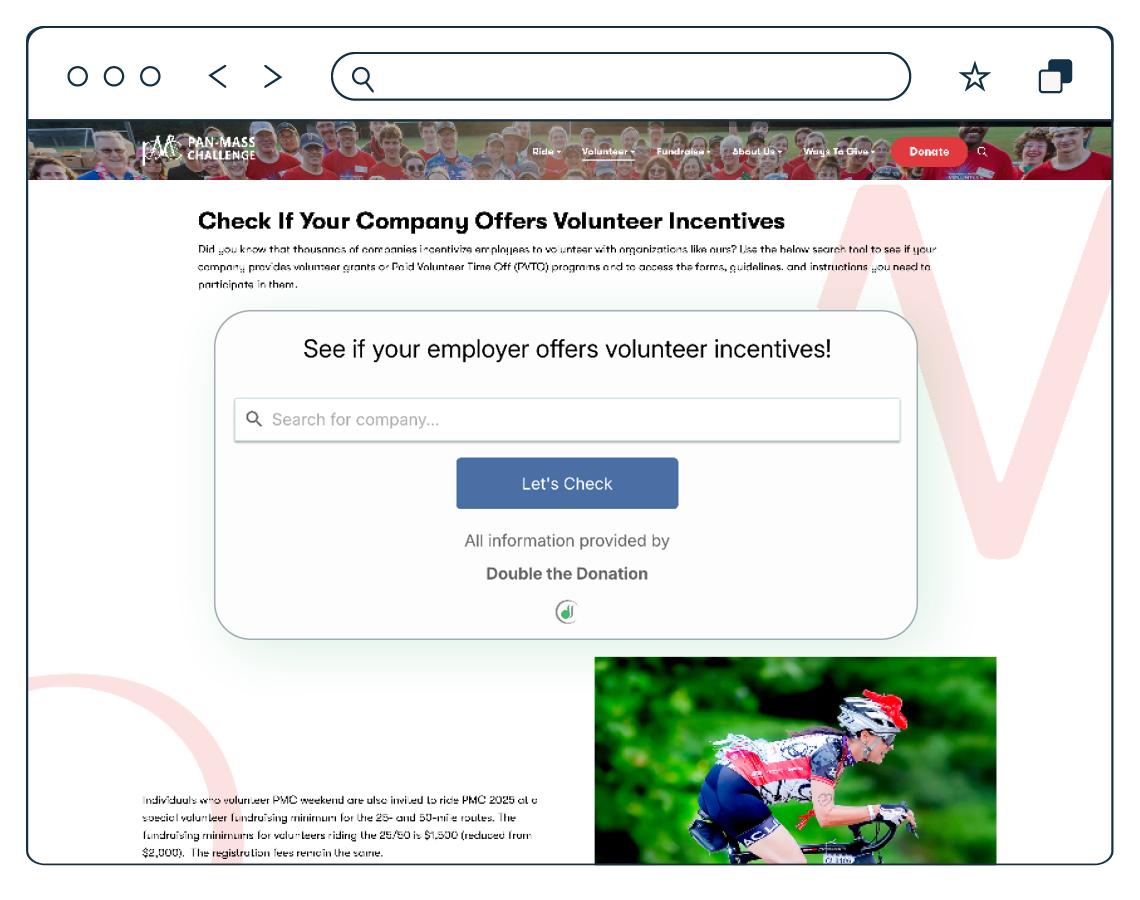
5. Pan-Mass Challenge
The Pan-Mass Challenge (PMC) is a fundraising juggernaut, and its approach to corporate partners focuses heavily on recognition and scale.
What they do right:
- High-Visibility Recognition: They prominently list their sponsors, categorizing them by contribution level (e.g., “Co-Presenting Sponsor,” “Hub Sponsor”). This public acknowledgement is a major selling point for corporate marketing teams.
- Holistic Contribution View: They highlight that sponsors contribute “finances, goods, and services” and “ride and volunteer.” This paints a picture of a 360-degree partnership.
- Video Testimonials: They use video content from major partners, such as the Red Sox Foundation, to provide social proof and explain the “why” behind the sponsorship.
Takeaway: Publicly celebrate your partners. A “Sponsors” section on your volunteer page acts as social proof and incentivizes new companies to join the list.
Essential Features of a High-Converting Corporate Volunteer Page
Based on these successful examples, every nonprofit corporate volunteer page should include a few core elements to maximize conversion.
1. A Searchable Database Widget
The most critical technical feature is an embedded search tool (like the one used by Jack’s Basket and KYCC). This widget allows visitors to type in their company name and instantly see:
- If their company offers volunteer grants.
- The monetary value per hour volunteered.
- Links to the company’s internal submission portal.
- Minimum hour requirements.
Without this tool, you are asking volunteers to do their own HR research; a task most will never complete.
2. Dedicated “Group” or “Team” Section
Corporate volunteers rarely come alone. Include a section specifically for “Group Volunteering” or “Team Building Days.” Include a separate inquiry form for groups that asks for:
- Company name
- Group size
- Preferred dates
- Goals for the day (e.g., team building, skill usage)
3. Clear Definitions of VTO and Grants
Do not assume visitors know the lingo. Include a “Definitions” or “FAQ” section that briefly explains:
- Volunteer Time Off (VTO): “Your company pays you to spend the day with us.”
- Volunteer Grants: “Your company writes us a check for the hours you serve.”
4. Visual Social Proof
Corporate teams want to see themselves at your organization. Use high-quality photos of groups wearing matching t-shirts, working together, and smiling. Action shots of teams building, packing, or teaching are far more effective than stock photography.
Quick Tip:Add a “Corporate Leaderboard” to your page. Rank companies by the number of hours volunteered or grants submitted. This taps into the competitive nature of sales and marketing departments and encourages them to book more shifts to beat their competitors.
SEO Strategies for Corporate Volunteer Web Pages
Creating the page is step one; ensuring companies find it is step two. You need to optimize your corporate volunteer web pages for search engines so that when a local HR manager searches for “team building volunteer opportunities,” your nonprofit appears at the top.
Keyword Targeting
Your primary keyword is “corporate volunteer web pages,” but you must also target the terms corporate decision-makers use.
- Primary Keywords: Corporate volunteering [City Name], Team building charity opportunities, Group volunteer ideas.
- Long-Tail Keywords: Companies with volunteer grants, Volunteer Time Off opportunities near me, CSR partnership non-profits.
Incorporate these keywords naturally into your H1 (Main Title), H2 (Subheaders), and the first 100 words of your body copy.
Local SEO Optimization
Corporate volunteering is almost always a local activity. Optimize your page for local search by:
- Including your city, county, and region in the page title and meta description.
- Mentioning nearby landmarks or business districts in your copy (e.g., “Located just 10 minutes from the Downtown Business District”).
- Registering your nonprofit on Google Business Profile and ensuring your “Volunteer” category is active.
Meta Descriptions and Title Tags
Your title tag should be under 60 characters and include your main value proposition.
- Bad: Corporate Volunteering – [Nonprofit Name]
- Good: Corporate Team Volunteering in [City] | [Nonprofit Name]
Your meta description should be under 160 characters and include a call to action.
- Example: “Looking for team building? [Nonprofit Name] hosts corporate volunteer days in [City]. Check your VTO eligibility and book a group shift today!”
Integrating Volunteer Grants and VTO Copy
The magic happens when you weave the financial ask into the volunteer ask. You don’t want to scare off volunteers with a donation request, but you do want to alert them to the money they are leaving on the table.
Headline Ideas:
- “Double Your Impact: Volunteer + Match”
- “Does Your Company Pay You to Volunteer?”
- “Turn Your Hours into Dollars”
Sample Copy Block: “We love our volunteers! Did you know your hard work can go even further? Many employers, including [list 2-3 major local employers], offer Volunteer Grants. For every hour you serve, your company might donate $20 to our mission. Use the search tool below to see if your hours are eligible for a cash match!”
By placing this text directly next to your shift sign-up form, you catch the volunteer at the moment of highest commitment.
Wrapping Up & Next Steps
Optimizing your corporate volunteer web pages is one of the highest-ROI activities a nonprofit marketing team can undertake. It transforms a static informational page into a dynamic engine for recruitment and revenue. By borrowing strategies from leaders like Jack’s Basket and the Pan-Mass Challenge—such as embedded search tools, clear educational copy, and sponsor recognition—you can build a pipeline of corporate support that sustains your mission for years to come.
Ready to upgrade your page? Start here:
- Audit your current page: Does it speak to groups, or just individuals?
- Install a search widget: Give volunteers an immediate way to check their grant eligibility.
- Add a “Group Inquiry” form: Stop forcing corporate teams to email a general inbox.
- Update your metadata: Ensure local companies can find you on Google.
Your website is ready to work harder for you. Make the changes today, and watch your corporate partnerships grow. Plus, see how tools like Double the Donation Volunteering can help!