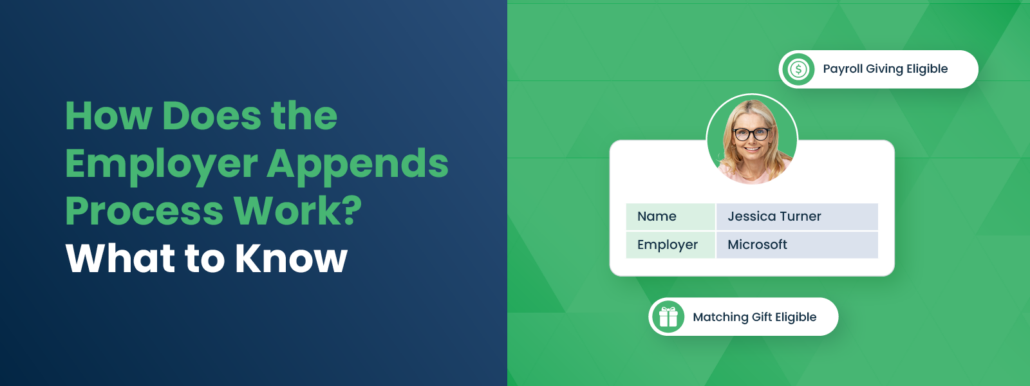
How Does the Employer Appends Process Work? What to Know
Data is the currency of modern fundraising, but for many nonprofits, their database is full of holes. You might know your donors’ names, email addresses, and donation history, but do you know where they spend 40 hours a week? If that field in your CRM is blank, you are leaving significant revenue on the table. Employment information is the key to unlocking corporate philanthropy, from matching gifts to volunteer grants. The solution to filling these gaps isn’t manually calling every donor; it’s mastering the Employer Appends process. By enhancing your existing records with external data, you can uncover hidden opportunities and transform your fundraising strategy from reactive to proactive.
While the concept of data enrichment sounds technical, the process is a strategic workflow that any development team can navigate. It is not just about getting a company name; it is about gaining the insight needed to send the right message to the right donor at the right time. When you understand the Employer Appends process, you empower your organization to identify high-value corporate partners, segment your audience for better engagement, and secure the “free money” that corporate social responsibility (CSR) programs offer.
In this guide, we’ll cover:
- The Strategic Value of Employer Appends
- Step 1: Auditing and Preparing Your Data
- Step 2: Selecting the Right Appends Provider
- Step 3: The Matching and Enhancement Phase
- Step 4: Integrating and Activating Your New Data
- Best Practices for Data Hygiene and Maintenance
Effectively executing this process requires more than just a credit card and a CSV file. It demands a clear understanding of your goals, a commitment to data hygiene, and a plan for action once the results are in. This guide will walk you through every stage, ensuring you don’t just collect data, but capitalize on it.
The Strategic Value of Employer Appends
Before diving into the logistics, it is essential to understand why this process is worth the investment. An employer append is a data enhancement service where a third-party provider takes your existing donor contact information (name, address, email, phone) and matches it against massive external databases to identify their employer.
For nonprofits, this isn’t just trivia; it’s actionable intelligence. Knowing where your donors work is the “master key” to unlocking workplace giving revenue.
Unlocking Matching Gifts
The most direct financial benefit is identifying matching gift eligibility. An estimated $4- $7 billion in matching gift revenue goes unclaimed each year, largely because donors are unaware of the programs. If you don’t know a donor works for General Electric or Microsoft, you can’t inform them that their $100 donation could instantly become $200. Employer appends bridge this gap by revealing these affiliations at scale.
Identifying Volunteer Grants
Corporate giving isn’t limited to matching dollars; it also matches time. Many companies offer “Dollars for Doers” grants, donating money to nonprofits where their employees volunteer. By appending employer data to your volunteer lists, you can identify supporters whose hours are worth double to your organization—their labor and a corporate check. This is crucial for securing volunteer grants.
Uncovering Corporate Partnerships
Your donors are your best bridge to corporate sponsorships. If you discover that 50 of your donors work for a local bank or a specific tech firm, you have a compelling case to approach that company for a sponsorship or grant. You aren’t cold-calling; you’re demonstrating that their employees are already invested in your mission.
Did You Know? Appending employer data can improve your major gift prospecting. A donor’s job title and employer are strong indicators of financial capacity. Knowing a donor is a “Senior VP” at a Fortune 500 company signals a much higher giving potential than their past $50 donation might suggest.
Step 1: Auditing and Preparing Your Data
The Employer Appends process begins long before you hire a vendor. The quality of the results you get out is directly dependent on the quality of the data you put in. If your database is riddled with duplicates, typos, or obsolete addresses, the match rates will suffer.
Conduct a Data Hygiene Audit
Start by reviewing your donor records. Look for common issues that could confuse a matching algorithm:
- Duplicate Records: Merge duplicate entries for the same donor to avoid paying to append the same person twice.
- Inconsistent Formatting: Ensure names are separated into “First” and “Last” fields, and that addresses follow standard postal formats.
- Missing Identifiers: The more data points you provide (email, phone, home address), the higher the likelihood of a successful match.
Define Your Scope and Goals
You don’t necessarily need to append your entire database. If you are on a budget, consider segmenting your list. You might prioritize:
- Active Donors: People who have given in the last 12-24 months.
- Major Gift Prospects: Donors giving above a certain threshold who have unknown capacity.
- Volunteers: Active volunteers who might be eligible for grants.
By narrowing your focus, you can maximize your ROI and ensure you are gathering data on the people most likely to engage.
Step 2: Selecting the Right Appends Provider
Not all data providers are created equal. When researching vendors for the Employer Appends process, you need to look beyond just the price per record. For nonprofits, the type of data matters as much as the accuracy.
Look for Workplace Giving Specialization
General marketing data firms might give you an employer name, but that’s where their value ends. Specialized providers like Double the Donation offer appends specifically designed for fundraising. They don’t just tell you “Jane works at Home Depot”; they tell you “Jane works at Home Depot, which has a matching gift program with a 1:1 ratio”. This context turns raw data into fundraising fuel.
Key Questions to Ask Providers
- Match Rates: What percentage of records do they typically match? (A typical range is 25-45% for nonprofits).
- Data Sources: Do they use public records, social profiles, or proprietary databases? Diverse sources usually yield better accuracy.
- Confidence Scores: Do they provide a “confidence score” or accuracy rating for each match? This helps you know which data points are rock-solid and which need verification.
- Turnaround Time: How long will the process take?
Quick Tip: Ask if the provider offers a “test” file. Many reputable companies will allow you to upload a small sample (e.g., 100 records) for free or a low cost. This lets you verify the accuracy of their data before committing to a full contract.
Step 3: The Handoff and Matching Process
Once you’ve prepped your file and chosen a partner, the actual technical execution of the Employer Appends process takes place. This is often the simplest part for the nonprofit, but understanding what happens “inside the black box” helps you manage expectations.
Data Submission
You will typically export your selected donor segments into a CSV or Excel file. This file should include unique ID numbers (to help you re-import the data later) and all relevant contact details. Most providers have secure, encrypted portals for uploading this sensitive information to ensure donor privacy.
The Matching Algorithm
The provider’s system scans your file against their massive aggregation of employment data. They use “fuzzy matching” logic to account for nicknames (e.g., “Bill” vs. “William”) or slight variations in addresses.
- Exact Matches: High confidence. All identifiers align.
- Probable Matches: Moderate confidence. Most identifiers align, but perhaps an old address is used.
The Output
The provider returns your file with new columns added. These typically include:
- Employer Name: The company the donor works for.
- Job Title: (If available) Helps with wealth screening.
- Matching Gift Status: (If using a specialized provider) A flag indicating if the company matches gifts.
- Confidence Code: A rating of how likely the match is to be correct.
Step 4: Integrating and Activating Your New Data
Receiving the file is not the finish line; it is the starting line. The true success of the Employer Appends process depends on how effectively you integrate this new intelligence into your fundraising workflow.
Update Your CRM
Import the new data back into your donor management system. Ensure you map the fields correctly so that “Employer Name” goes into the employment field and not the notes section. If your provider provides confidence scores, you might choose to import only matches with a high confidence rating to keep your database clean.
Segment Your Communication
Now, stop treating your donors like a monolith. Use this data to create targeted email segments:
- The “Match-Eligible” Segment: Donors who work for matching gift companies. Send them a specific email: “Did you know [Employer Name] will double your donation?”
- The “Corporate Partner” Segment: Donors working at companies with strong CSR reputations. Flag these for personal outreach by your corporate relations officer.
- The “High-Capacity” Segment: Donors with C-suite or Director-level titles. Move these into a prospect pool for major gift officers to review.
Launch Automated Campaigns
If you use a matching gift automation platform (like Double the Donation), you can feed this data directly into the system. This allows you to trigger automated emails to donors retroactively. For example, you can send an email that says, “We noticed you work for [Company]. They offer a matching gift program—here is the link to their form to submit your request for your recent donation.”
Did You Know? Mentioning matching gifts in fundraising appeals results in a 71% increase in response rate and a 51% increase in average donation amount. Simply knowing the employer allows you to add this powerful call-to-action to your messaging.
Best Practices for Data Hygiene and Maintenance
Data decays quickly. People change jobs, companies merge, and policies are updated. To ensure the Employer Appends process continues to deliver ROI, you must view it as an ongoing cycle, not a one-time fix.
Schedule Regular Re-Appends
Depending on the size of your database and the turnover of your donor file, aim to run a fresh employer append every 12 to 24 months. This captures donors who have changed jobs and new donors who have entered your system without providing employment details.
Build Data Collection into Intake
Stop the bleeding of missing data by improving your intake forms. Add an optional “Employer” field to your online donation pages and volunteer sign-up forms. Using a search tool with an autocomplete function (like Double the Donation’s plugin) encourages donors to provide this info by making it easy to find their company.
Validate with Donors
Use your communications to verify the data. In your annual update or donor survey, show them the info you have on file (e.g., “Do you still work at [Company]?”) and ask them to update it. This keeps your data fresh and reminds them of their potential connection to workplace giving.
Wrapping Up & Next Steps
The Employer Appends process is one of the most efficient ways to turn “dead data” into “active revenue.” By systematically identifying where your donors work, you peel back the curtain on thousands of dollars in potential corporate funding that is currently sitting unclaimed. It allows you to move from generic “please give” messaging to highly personalized, strategic partnerships that benefit the donor, their employer, and your mission.
While the technical steps—cleaning, matching, and importing—require diligence, the payoff is substantial. A single append can reveal hundreds of match-eligible donors, dozens of potential corporate sponsors, and a clear roadmap for your major gifts team.
Ready to uncover the hidden potential in your donor list?
- Run a quick query: How many of your active donor records are missing employer info? If it’s more than 30%, it’s time for an append.
- Check your forms: Are you asking for employer info on your donation page? If not, add that field today.
- Explore solutions: Look into specialized providers like Double the Donation that can not only append the data but also instantly connect it to actionable matching gift forms.
Don’t let missing data slow down your mission. Start the Employer Appends process today and give your fundraising team the intelligence they need to thrive. See how Double the Donation’s Workplace Giving Insights module can help!