
Payroll Giving Educational Resources-The Ultimate List

Payroll Giving Educational Resources: The Ultimate List
Sustainable fundraising isn’t just about finding new donors; it’s about building reliable revenue streams that work in the background 365 days a year. Payroll giving represents one of the most powerful opportunities to do exactly that. By allowing employees to donate directly from their paychecks, your nonprofit can secure a steady, unrestricted flow of funding that grows over time. Unlike one-time donations that require constant re-solicitation, or credit card subscriptions that are prone to involuntary churn due to expiration dates and card replacements, payroll deductions remain active as long as the employee stays with their company. This creates a “set it and forget it” dynamic that is the gold standard for long-term financial health.

Yet, for many organizations, this fundraising method remains a mystery. The ecosystem involves complex interactions among the donor, the employer, the nonprofit, and, often, a third-party processing platform (such as Benevity, YourCause, or CyberGrants). Lucky for you, we have curated the ultimate library of guides, articles, and videos to help you master this revenue channel. We’ll provide:

Whether you are a development director looking to launch your first workplace giving campaign or a database manager trying to understand the technical side of deductions and data flow, these resources will equip you with the knowledge you need to succeed.

Comprehensive Guides for Strategic Planning

When you are ready to move beyond the basics and build a full-scale program, you need more than a blog post—you need a roadmap. The following guides offer in-depth strategies for every stage of the payroll giving lifecycle, from identification to stewardship.

1. Earning More Payroll Donation Revenue

This isn’t just a “what is” article; it’s a “how-to” manual for growth. The “Earning More Payroll Donation Revenue” guide is designed for nonprofits that want to move from passive acceptance of payroll gifts to active solicitation. Many organizations make the mistake of assuming that because they cannot control the corporate HR portal, they cannot influence the donor’s decision. This guide dispels that myth by outlining proactive steps.

Deep Dive into Segmentation: One of the core strategies discussed in this resource is the importance of knowing where your donors work. You cannot ask a donor to give through their paycheck if their employer doesn’t offer a program. This is where employer appends become critical. By enhancing your existing donor database with employment information, you can segment your list into “eligible” and “ineligible” pools. The guide explains how to use this data to send targeted emails to donors who work for major companies like Microsoft, Google, or the Federal Government, providing them with the specific instructions they need to find you in their corporate portal.

The “Double Ask” Strategy: The guide also explores the concept of the “Double Ask”—encouraging donors to set up a payroll deduction and simultaneously request a matching gift. Since both actions often happen within the same CSR software interface, educating donors to check both boxes can instantly double the value of their recurring gift. Mastering this workflow is essential for maximizing corporate giving revenue.

Access the Resource Here: https://resources.doublethedonation.com/earning-more-payroll-donation-revenue

2. The Complete Payroll Giving Guide

Think of this as your textbook. The Double the Donation Payroll Giving Guide covers the A-to-Z of the process. It explains the mechanics of how funds move from a paycheck to your bank account, the role of third-party processors, and the compliance requirements for receiving these funds.

Understanding the Ecosystem: If you are new to the space, the terminology can be overwhelming. This guide breaks down the difference between a “write-in” campaign and a “federated” campaign. It explains the role of aggregators who collect funds from employees, bundle them together, and cut a single check to the nonprofit (often quarterly). Understanding this delay in cash flow is crucial for your finance team, and this guide provides the context needed to manage those expectations.

Compliance and Registration: To receive payroll donations from major corporations, your nonprofit often needs to be registered and vetted by the platforms they use. This guide outlines the steps to claim your profile on platforms like GuideStar and various CSR portals. It emphasizes that an incomplete profile can lead to lost donations, as employees may not be able to find your organization when searching in their portal. Ensuring your “merchant profile” is up to date is a foundational step covered extensively here.

Access the Resource Here: https://doublethedonation.com/payroll-giving-guide/

Strategic Articles to Boost Revenue

Once you understand the mechanics, you need tactics. These articles focus on actionable steps you can take today to see results tomorrow. They shift the focus from “how it works” to “how to sell it.”

Ways to Increase Payroll Donations

You have a program, but is it growing? “Ways to Increase Payroll Donations” offers practical tips for optimizing your nonprofit marketing efforts. It explores how to leverage key times of year to remind donors about payroll deduction options.

Leveraging “Fresh Start” Windows: The article highlights the importance of timing. The two best times to market payroll giving are Open Enrollment (typically in the fall) and the New Year. During Open Enrollment, employees are already logged into their HR portals to select health insurance and retirement benefits. It is the perfect psychological moment to ask them to opt in to charitable deductions. Similarly, the New Year brings a “fresh start” mindset where donors are setting financial and philanthropic goals. This resource provides templates and messaging strategies to capitalize on these specific windows.

The Upgrade Strategy: A key tactic discussed is the “upgrade” campaign. This involves identifying small, sporadic donors (e.g., those who give $25 once a year) and asking them to switch to a $5/paycheck deduction. The article explains how to frame this ask: by emphasizing that a small deduction is “the cost of a cup of coffee,” you reduce the perceived financial burden on the donor while securing a donation that amounts to $120+ annually. This strategy effectively lowers the barrier to entry while increasing the total annual gift.

Access the Resource Here: https://doublethedonation.com/ways-to-increase-payroll-donations/

Benefits of Payroll Giving

Sometimes the hardest sell is internal. If you need to convince your board or executive director to invest resources in this area, “Benefits of Payroll Giving” is your go-to resource. It breaks down the ROI of payroll giving, contrasting the low cost of acquisition with the high lifetime value (LTV) of payroll donors.

Retention Mastery: The strongest argument presented in this article is retention. Credit card churn is a massive issue for nonprofits; cards expire, get lost, or get cancelled due to fraud, severing the recurring donation. Payroll deductions face none of these issues. They are tied to employment, which is far more stable than a piece of plastic. The article provides the language you need to explain this stability to your leadership, framing payroll giving not just as “another channel” but as a risk-mitigation strategy for your revenue.

Trust and Corporate Validation: Another benefit explored is the “halo effect.” When a donor sees your nonprofit listed in their employer’s official giving portal, it acts as a seal of approval. It signals that your organization has been vetted and is trusted by their company. This implicit endorsement can help overcome donor skepticism, a factor that is increasingly important in a crowded philanthropic landscape.

Access the Resource Here: https://doublethedonation.com/benefits-of-payroll-giving/

Essential Data: Building the Business Case

Data drives decisions. Whether you are crafting a pitch deck for a potential corporate sponsorship or setting goals for your development team, you need hard numbers to back up your strategy. Anecdotes about “goodwill” are rarely enough to secure budget for new software or marketing campaigns; you need to prove the potential revenue lift.

Payroll Giving Statistics

Did you know that over $173 million is raised annually through payroll giving? Or that payroll giving is one of the most cost-effective fundraising channels available? The Payroll Giving Statistics page aggregates the most current industry data, providing a benchmark for your own performance.

Benchmarking Your Success: Use these stats to set realistic expectations. For example, knowing that participation rates in payroll giving programs typically hover around 10-15% for large companies can help you determine if your current campaign is underperforming or overperforming. If you are pitching a corporate partner on launching a campaign, using industry-standard participation rates helps you project the potential impact of the partnership accurately.

The Multiplier Effect: The data also highlights the correlation between payroll giving and other forms of corporate support. Companies with strong employee giving programs are often the same companies that offer corporate grants for nonprofits. By engaging their workforce, you build a relationship with the company that can evolve into larger grant opportunities or event sponsorships. This resource connects the dots between individual employee giving and major corporate philanthropy.

Access the Resource Here: https://doublethedonation.com/payroll-giving-statistics/

Payroll Giving FAQ

Your donors will have questions. “Is this tax-deductible?” “Can I cancel anytime?” “Does my employer see my donation?” The Payroll Giving FAQ resource provides clear, donor-centric answers to these common hurdles.

Addressing Privacy Concerns: One common barrier discussed in the FAQ is privacy. Some employees worry that their employer will judge their charitable choices. The resource explains how most modern platforms allow for anonymous giving, ensuring donors feel safe supporting controversial or private causes. Having these answers ready for your “Ways to Give” page can significantly reduce abandonment rates.

Tax Receipting Nuances: Another complex area is receipting. Since the donation comes out of a paycheck, the “receipt” is often the donor’s W-2 form at the end of the year, not a letter from the nonprofit. This guide explains these nuances so your donor relations team can handle inquiries correctly, avoiding the confusion of sending duplicate tax receipts that might annoy donors or complicate their filings.

Access the Resource Here: https://doublethedonation.com/payroll-giving-faq/

Double the Donation’s Video Learning Resources

Sometimes, seeing is believing. The user interface of corporate giving portals can be confusing, and trying to explain it via text can be ineffective. For visual learners or teams that want to do a “Lunch and Learn,” video resources are invaluable. Double the Donation’s YouTube channel and on-demand webinars offer a suite of videos that break down complex topics into digestible segments.

Introducing Double the Donation’s Payroll Giving Module

If you’re considering using software to streamline this process, Double the Donation’s quick Payroll Giving Demo video shows you exactly how tools like ours work to uncover and target the right payroll giving opportunities. It demonstrates the user experience, including how a donor searches for their company, finds the right forms, and submits their request.

Watch the Video Here: https://www.youtube.com/watch?v=FqtkqEYwYeQ

Growing Payroll Giving Revenue with Employer Data Insights

Power your payroll giving strategy with donor employer data! Having the right information about your supporters allows you to identify payroll giving-eligible individuals and provide them with the insights they need to get started.

Watch the Video Here: https://www.youtube.com/watch?v=1Fg3VDbuzFE

Next-Level Payroll Giving Strategies

Want to make payroll giving more effective? Discover five proven strategies in our recent podcast episode that will help your nonprofit unlock the full potential of payroll giving, drive ongoing donations, and keep supporters engaged throughout the year.

Watch the Podcase Episode Here: https://www.youtube.com/watch?v=ZqC9ixtD_sI


Wrapping Up & Next Steps

Knowledge is potential power; execution is real power. You now have access to the best payroll giving educational resources in the sector. These guides, articles, and videos remove the guesswork from workplace giving. Instead, they transform it from a passive “nice-to-have” into a proactive revenue engine.

Your next step is to pick a single resource listed above and dedicate 30 minutes this week to reviewing it. Use that knowledge to audit your current digital presence. Are you making it easy for donors to find your EIN? Do you guide individuals to the appropriate corporate or payroll giving portals? Are you asking them to participate in matching gifts, if available?

The consistent, unrestricted revenue you’ve been looking for is waiting in your donors’ paychecks. Use these resources to help them unlock it. Then, see how tools like Double the Donation can supercharge your organization’s payroll giving strategy!

Payroll Giving Letters-Templates to Grow Recurring Funds

Payroll Giving Letters: Templates to Grow Recurring Funds
In the nonprofit world, monthly recurring donors are gold. They provide the predictable, sustainable cash flow that allows organizations to plan for the future with confidence rather than constantly scrambling to fill budget gaps. While many nonprofits focus heavily on credit card subscriptions to build this sustainers program, there is a more stable, tax-efficient, and often overlooked avenue: payroll giving. This mechanism allows supporters to donate directly from their paychecks, often pre-tax, turning sporadic donors into lifelong partners. The key to unlocking this revenue stream? Strategic payroll giving letters.

Many of your supporters would likely embrace the convenience and tax benefits of payroll giving if they only knew it was an option. However, these programs are often buried in corporate HR portals or employee handbooks, unbeknownst to the donor. By incorporating specific payroll giving letters into your communication strategy, you can educate your donors, guide them through the enrollment process, and secure a baseline of funding that grows automatically with every pay period.

In this guide, we’ll cover:

Whether you are looking to convert a loyal annual donor into a monthly payroll giver or trying to acquire new support from a corporate partner’s workforce, this guide provides the tools and templates you need to succeed.

The Strategic Value of Payroll Giving Communications

Before sending out appeals, it is crucial to understand why payroll giving is worth the specific communication effort. Payroll giving (also known as workplace giving) is a method that allows employees to donate to charities directly from their salaries.

For nonprofits, the benefits are transformative. Payroll giving provides a steady, predictable income stream that improves financial planning and program continuity. Furthermore, payroll donors typically have higher retention rates than credit card donors because the donation is integrated into their employment; it doesn’t expire when a credit card date passes, and it doesn’t require monthly action from the donor.

For donors, the benefits are equally compelling. Donations are often deducted pre-tax, meaning the donor receives an immediate tax benefit, and the “cost” of the donation feels lower while the nonprofit receives the full value. It is effortless, budget-friendly, and convenient.

Despite these “win-win” dynamics, participation often lags due to a lack of awareness. Employees simply do not know their company offers the program or how to access it. Your payroll giving letters serve as the bridge, informing supporters of this benefit and providing the specific instructions they need to enroll.

Did You Know? Payroll giving is a gateway to even greater support. Many companies that offer payroll deductions also offer matching gift programs. When an employee sets up a recurring payroll donation, they are often perfectly positioned to activate a matching gift, potentially doubling the impact of every paycheck contribution automatically.

The Anatomy of a Perfect Payroll Giving Appeal

Asking a donor to change how they give requires a clear value proposition. You are asking them to log into a corporate portal and make a financial decision. To ensure your payroll giving letters are effective, they must be structured to highlight convenience and impact.

Every effective letter or email should contain the following elements:

  1. The “Why” (Impact): Start by reminding the donor of the work their money supports. Connect the reliability of payroll giving to the reliability of your services. For example, “Just as our community relies on us every day, we rely on steady funding to keep our doors open.”
  2. The “How” (Convenience & Tax Benefits): Explain the mechanism simply. Highlight that it comes out of their paycheck automatically and mention the pre-tax benefit. This is a major selling point—they can give more for less cost to their take-home pay.
  3. The “Cheat Sheet”: To enroll in a payroll giving scheme, employees usually need specific details about your nonprofit to find you in their CSR platform (like Benevity, YourCause, or CyberGrants). Include a sidebar or section with:
    • Your organization’s legal name
    • Your EIN/Tax ID number
    • A keyword to search in their portal
  4. A Direct Call to Action (CTA): Don’t just ask them to “consider” it. Ask them to “Login to your employee portal today” or “Ask your HR representative for the enrollment form.”

Scenario 1: The Existing Donor (Conversion)

Your best prospects for payroll giving are people who already support you. They trust your mission, but may be giving sporadically via credit card. Use this template to convert them into consistent, automated sustainers.

Subject: A smarter way to support [Nonprofit Name]

Dear [Donor Name],

Thank you for your continued generosity. Because of supporters like you, we have been able to [mention a recent impact/accomplishment].

We know you care deeply about our mission, and we wanted to share a way to make your support even more impactful—while potentially lowering your own taxes.

Have you considered Payroll Giving? By setting up a recurring donation directly from your paycheck, you provide the steady, reliable funding we need to plan for the future. Plus, because these donations are often deducted pre-tax, you may be able to give more while lowering your taxable income.

It is the ultimate “set it and forget it” way to make a difference.

How to switch: Check your employer’s HR or charity portal (like Benevity or CyberGrants) to see if they offer a workplace giving program. Search for us using the info below:

  • Organization: [Legal Name]
  • Tax ID (EIN): [00-0000000]

If you set up a payroll deduction, please let us know so we can update our records and thank you properly!

Sincerely,

[Signature]

Quick Tip: If you have a donor who gives $100 once a year, frame the payroll ask as “$5 per paycheck.” It feels like a smaller amount to the donor, but results in $120 or more annually for you.

Scenario 2: The Known Eligible Individual

If your data indicates a donor works for a company with a known payroll giving program (e.g., the federal government, Microsoft, or companies using platforms like Benevity), you can send a highly specific appeal.

Subject: Maximize your impact through [Employer Name]

Dear [Donor Name],

Thank you for being a champion for [Nonprofit Name]. We are writing because our records indicate you work for [Employer Name].

Did you know that [Employer Name] offers a robust Payroll Giving program? This allows you to support the causes you care about directly through automatic payroll deductions. It is one of the most efficient ways to give, ensuring 100% of your donation goes to work immediately.

Why give through [Employer Name]?

  • Convenience: No credit cards to update or checks to write.
  • Tax Efficiency: Donations are often deducted pre-tax.
  • Matching: [Employer Name] may match your payroll contributions, doubling your impact automatically!

Next Steps:

  1. Log in to your employee giving portal.
  2. Search for [Nonprofit Name] (EIN: [00-0000000]).
  3. Select a recurring amount that works for your budget.

Thank you for leveraging your workplace benefits to power our mission!

Sincerely,

[Signature]

Scenario 3: The Unknown Eligibility Individual

For most of your database, you may not know their employer. This letter serves as a discovery tool, educating them on the concept and encouraging them to investigate their own benefits. This can also help you uncover employer appends data for future segmentation.

Subject: Does your employer make giving easy?

Dear [Supporter Name],

We are constantly amazed by the dedication of our community. Today, we wanted to highlight a way you might be able to support [Nonprofit Name] that is easy, budget-friendly, and impactful.

Many companies allow employees to donate to their favorite charities directly from their paychecks. It is a simple way to break a large annual gift into small, manageable contributions deducted each pay period.

Does your company participate? We encourage you to check your employee handbook or ask your HR department if a “Payroll Giving” or “Workplace Giving” scheme is available.

If it is, you can usually find us by searching for:

  • Name: [Legal Name]
  • Tax ID: [00-0000000]

If you decide to enroll, please drop us a quick reply so we can say thank you!

With gratitude,

[Signature]

Scenario 4: The Prospective Donor (Acquisition)

When reaching out to new audiences (perhaps through a corporate lunch-and-learn or a volunteer event), focusing on payroll giving can lower the barrier to entry.

Subject: Join us for just a few dollars a paycheck

Dear [Name],

It was great meeting you at [Event/Context]. We hope you felt inspired by the work [Nonprofit Name] is doing to [Mission Statement].

We know that budgets can be tight, but making a difference doesn’t require a large check. Through Payroll Giving, you can support our work for the cost of a cup of coffee per paycheck.

Small gifts add up to big change. By authorizing a small deduction from each paycheck, you join a community of sustainers who keep our programs running year-round. It is effortless, tax-smart, and deeply appreciated.

Ready to join us? Check your company’s giving portal today to see if you can select [Nonprofit Name] as your charity of choice.

Together, we can achieve [Goal].

Sincerely,

[Signature]

Scenario 5: The Advocacy Letter (Ineligible Individuals)

If a supporter wants to give via payroll but their company doesn’t offer a program, empower them to be an advocate. This template is for them to send to their own HR department.

Subject: A suggestion for our employee benefits

Dear [Supporter Name],

Thank you for your interest in supporting [Nonprofit Name] through payroll giving! We are sorry to hear your employer doesn’t currently offer this program, but your voice could change that.

Many companies launch workplace giving programs because employees ask for them. If you are willing, feel free to share this note with your HR team:

Hi [HR Contact],

I am a proud supporter of [Nonprofit Name] and was looking for a way to contribute through payroll deduction. I know many companies offer Workplace Giving programs to support employee philanthropy and boost engagement.

Would [Company Name] consider implementing a payroll giving platform? It would mean a lot to my colleagues and me to have a simple, company-sanctioned way to support our community.

Thanks, [Employee Name]

Thank you for advocating for us!

Sincerely,

[Signature]

Best Practices for Sending Payroll Giving Emails

Writing the letter is just the first step. To maximize the impact of your payroll giving letters, consider these strategic best practices regarding timing and targeting.

1. Leverage Key Timing Windows

There are specific times of year when employees are already thinking about benefits and financial planning.

  • Open Enrollment (Fall): When employees are selecting health insurance and benefits, they are already logged into HR portals. This is the perfect time to remind them about payroll giving.
  • New Year (January): “New Year, New Goals.” Encourage supporters to make a resolution to give back.
  • Tax Season (April): Remind donors that payroll giving can simplify their tax prep by consolidating charitable deductions on their W-2.
  • New Hire Onboarding: If you have corporate partners, ask them to include a flyer about your nonprofit in their new-hire packets.

2. Segmentation is Key

Don’t blast the same message to everyone. Segment your list by:

  • Gift Size: Donors giving small amounts ($10-$25) are great candidates for payroll giving because it breaks the gift down even further, making it feel negligible to their budget while providing you with consistent revenue.
  • Employment: Use employer appends to identify which donors work for companies with known giving platforms like Benevity. Send them the “Known Eligible” template with specific instructions for that platform.

3. Integrate with Matching Gifts

Always mention matching gifts in your payroll giving appeals. Many corporate portals allow employees to request a match at the same time they set up their payroll deduction. This “set it and forget it” synergy is the holy grail of corporate fundraising.

4. Automate the Process

Just like with matching gifts, you can use technology to streamline this. Tools like Double the Donation help donors identify if their company offers workplace giving programs. By integrating a search tool on your website, you can capture this intent and trigger automated emails with the right templates based on the donor’s employer.


Wrapping Up & Next Steps

Payroll giving letters are a low-cost, high-reward tool to modernize your fundraising. They move donors away from sporadic, transactional giving and toward a relationship defined by consistency and ease. By guiding your supporters through the administrative hurdles of their corporate portals, you unlock a stream of unrestricted revenue that arrives like clockwork.

Ready to grow your recurring revenue?

  • Audit your website: Create a dedicated “Workplace Giving” page with your Tax ID and simple instructions.
  • Check your data: Identify which donors work for major employers in your region.
  • Send the emails: Use the templates above to launch a targeted campaign during your next newsletter cycle.

Don’t let the administrative nature of payroll giving scare you away. With the right letters, you can turn complex corporate benefits into simple, sustainable support for your mission. Plus, you can use Double the Donation’s payroll giving services to automate the identification of eligible supporters and access company-specific instructions and next steps!

Payroll Giving Web Pages to Inspire Your Own Nonprofit’s
4 Payroll Giving Web Pages to Inspire Your Own Nonprofit’s

In the nonprofit sector, the “sustainers” program, or monthly recurring donors, is often considered the Holy Grail of fundraising. These donors provide the predictable, unrestricted cash flow that allows organizations to keep the lights on and plan for the future. While most nonprofits focus on credit card subscriptions to build this base, there is a more stable, tax-efficient, and often overlooked avenue: payroll giving.

Payroll giving (often nested under “Workplace Giving“) allows employees to donate a portion of their paycheck to your nonprofit automatically. Because these donations are often deducted pre-tax and do not rely on credit card expiration dates, payroll donors have significantly higher retention rates than standard monthly givers.

However, there is a catch. Unlike a simple “Donate Now” button, payroll giving requires the donor to take action within their employer’s HR portal. If your website doesn’t explicitly guide them on how to do this, you will miss out on this revenue. This is why dedicated payroll giving web pages are essential. They serve as the educational bridge between a donor’s desire to give and the administrative steps required to make it happen.

In this guide, we’ll cover:

Ready to turn your website into a recurring revenue engine? Let’s explore how to build the perfect payroll giving page.

The Strategic Value of Dedicated Payroll Giving Pages

Why should a nonprofit build a specific page for a donation method that happens off-site (i.e., in a corporate portal)? Because without it, you are invisible to the corporate donor.

Employees often search for terms like “How to donate to [Nonprofit Name] through work” or need specific information—like your Tax ID or Combined Federal Campaign (CFC) code—to fill out their employer’s forms. A dedicated page centralizes this data, reducing friction and capturing intent.

  • Educational Value: Most donors do not know what “payroll giving” is. A dedicated page allows you to define the concept, explain the tax benefits (giving pre-tax lowers their taxable income), and highlight the convenience of “set it and forget it” philanthropy.
  • Trust Signals: When a corporate employee logs into a platform like Benevity or YourCause, they see thousands of charities. Having a professional payroll giving web page signals that your organization is established, vetted, and “corporate-ready.” It validates the donor’s choice to allocate a portion of their hard-earned salary to your mission.
  • The Revenue Impact: Payroll giving is not small change. More than $173 million is donated through payroll giving annually. Furthermore, payroll donors are prime candidates for retention; once a deduction is set up, it typically continues until the employee changes jobs or actively cancels it. By optimizing your web presence to capture these donors, you are investing in the highest Lifetime Value (LTV) segment of your supporter base.

4 Real-World Examples of Payroll Giving Web Pages

To understand what makes a payroll giving web page successful, let’s analyze five organizations that have mastered the art of digital stewardship for workplace giving. These examples highlight different strategies, from emotional storytelling to logistical clarity.

1. Children’s Miracle Network Hospitals

Link: https://childrensmiraclenetworkhospitals.org/payroll-giving/

CMN Hospitals does an exceptional job of connecting the mechanism of giving (payroll deduction) to the emotional result (saving kids’ lives). Their page doesn’t just list instructions; it frames payroll giving as a partnership.

What they do right:

  • Visual Storytelling: They use high-quality images of children who have benefited from the hospital network. This reminds the potential donor why they are setting up the deduction.
  • Clear Value Proposition: The copy emphasizes that small contributions from each paycheck add up to “miracles.” This overcomes the objection that a $5 or $10 deduction isn’t “enough” to make a difference.
  • Partner Highlights: They showcase corporate partners who already participate. This leverages social proof—if a donor sees their employer’s logo (e.g., Walmart or Costco), they feel confident that the pathway to giving is already established.

Payroll giving web page example

Takeaway: Don’t let the administrative nature of payroll giving dry out your messaging. Keep the mission front and center.

2. Pets for Patriots

Link: https://www.petsforpatriots.org/payroll-giving/

Pets for Patriots, which helps veterans adopt shelter animals, understands its audience perfectly. Because their mission aligns closely with military and government values, their page is heavily optimized for federal employees.

What they do right:

  • CFC Code Prominence: The most critical element on this page is their Combined Federal Campaign (CFC) number. It is displayed large and bold. For federal employees and military personnel, this code is the only thing they need to set up a donation during the CFC pledging season.
  • Platform Diversity: They don’t just stop at the CFC. They list state employee campaigns and private sector platforms (like Benevity), ensuring they capture donors from all sectors.
  • Trust Indicators: They prominently display their “Seal of Transparency” and charity ratings. Since payroll donors often give blindly (without meeting staff), these third-party validations are crucial for conversion.

Payroll giving web page example

Takeaway: If your nonprofit qualifies for government giving campaigns (CFC or state equivalents), your code must be the hero of your payroll giving web page.

3. World Animal Protection

Link: https://www.worldanimalprotection.us/ways-to-give/payroll-giving/

This organization takes a pragmatic approach, focusing heavily on the financial ease and benefits for the donor. They position payroll giving as a smart financial decision as much as a charitable one.

What they do right:

  • Explaining Pre-Tax Giving: They clearly articulate that payroll giving is tax-effective. By explaining that donations come out before tax, they help the donor understand that a $20 donation might only “cost” them $15 in take-home pay.
  • Simplicity: The layout is clean and text-focused, reducing distraction. They offer a simple downloadable form or instructions for HR, acknowledging that not all companies have digital portals.
  • Direct Contact: They provide a dedicated email address for their “Supporter Care” team. This ensures that if a donor hits a roadblock with their HR department, they have a lifeline at the nonprofit to help troubleshoot.

Payroll giving web page example

Takeaway: Use your page to educate donors on the financial perks of workplace giving. “Give more for less” is a compelling hook.

4. GBS/CIDP Foundation International

Link: https://www.gbs-cidp.org/donate/other-ways-to-give/payroll-corporate-giving/

The GBS/CIDP Foundation treats payroll giving not as a silo, but as part of a broader “Corporate Giving” ecosystem. Their page aggregates several ways to give through work into one central location.

What they do right:

  • Bundling with Matching Gifts: They explicitly mention matching gifts alongside payroll deductions. This is a critical strategy (the “double dip”), reminding donors that their recurring payroll gift might also be eligible for a corporate match.
  • United Way Integration: They provide specific instructions for United Way write-in campaigns. Many companies use United Way as their giving administrator, so providing write-in details is essential for capturing funds from donors outside of your immediate geographic chapter.
  • Employer Search: They integrate a search tool to help donors find their company’s specific program guidelines, bridging the gap between the donor and the corporate portal.

Payroll giving web page example

Takeaway: Make it as easy as possible for your supporters to learn about workplace giving. Provide all the information they might need to get started in one convenient location!

Essential Features of a High-Converting Page

Based on these examples, a high-performing payroll giving web page must include specific architectural elements to maximize conversions.

1. The “How-To” Block

Don’t assume the donor knows how to enroll. Provide a clear 3-step guide:

  1. Log in to your employee portal (e.g., Benevity, YourCause).
  2. Search for [Nonprofit Name] or use Tax ID [12-3456789].
  3. Select “Recurring Payroll Deduction.”

2. Vital Statistics Sidebar

Create a clearly visible box or sidebar containing the “copy-paste” data a donor needs to fill out a corporate form:

  • Legal Name: (As listed on your IRS letter).
  • DBA Name: (If you go by an acronym).
  • EIN / Tax ID: (Crucial for search).
  • Mailing Address: (Where the third-party processor sends the check).
  • CFC/United Way Codes: (If applicable).

3. The Employer Search Tool

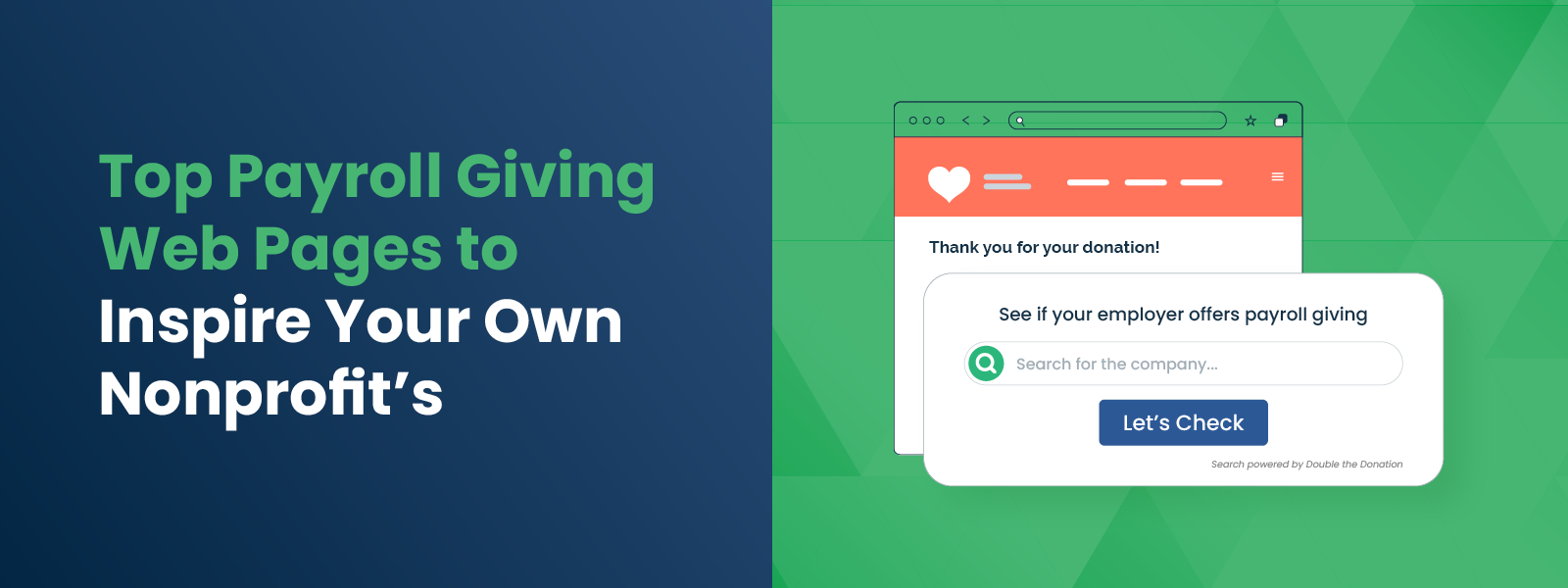
Embed a corporate giving database widget (like Double the Donation’s) directly on the page. This allows the donor to enter their employer’s name and immediately see whether their company offers payroll deductions or matching gifts. This interactivity keeps the donor on your page longer and provides instant answers.

4. The Matching Gift Cross-Sell

Never talk about payroll giving without talking about matching gifts. Include a section that says: “Did you know? Many companies will match your payroll contributions. Check with your HR department to double your impact!”

SEO and GEO Strategies for Payroll Giving

To ensure your payroll giving web pages rank highly in search engines (SEO) and appear in AI-generated answers (GEO – Generative Engine Optimization), you need to target the right intent.

  • Keywords: Target long-tail keywords that employees type when they are sitting in their HR portal confused.
    • “How to donate to [Nonprofit Name] through work”
    • “[Nonprofit Name] federal tax ID for donations”
    • “[Nonprofit Name] United Way code”
    • “Benefits of payroll giving for [Cause]”
  • Schema Markup: Use FAQ schema on your page to answer common questions like “Is my donation tax-deductible?” or “How do I cancel a payroll donation?” giving you a better chance of appearing in Google’s “People Also Ask” boxes.
  • Generative Engine Optimization (GEO): AI search tools (like ChatGPT or Google’s AI Overview) prioritize direct answers. Ensure your page has a clear section titled “How to set up payroll giving for [Nonprofit Name]” with a numbered list. This structure is easily scrapable by AI, increasing the likelihood that a bot will cite your page as the source of truth.

Combining Payroll Giving with Matching Gifts

The true power of payroll giving web pages is unlocked when you layer matching gifts on top. Payroll giving provides the base revenue, and matching gifts provide the growth.

Many corporate giving portals (such as CyberGrants or Benevity) allow employees to request a match when setting up their payroll deduction. It is often a simple checkbox during the setup process.

Your Strategy: On your web page, explicitly instruct donors to look for this checkbox. Use language like: “When setting up your deduction in your company portal, look for the ‘Request a Match’ option. One click could double your donation automatically!”

By integrating these two streams, you create a “set it and forget it” revenue engine where a single donor action results in two checks arriving at your nonprofit every month: one from the employee and one from the corporation.


Wrapping Up & Next Steps

A dedicated payroll giving web page is not just an informational resource; it is a revenue capture device. By providing clear instructions, essential data (like your EIN), and emotional motivation, you lower the barrier to entry for your most valuable type of donor—the recurring sustainer.

Ready to build your page? Start here:

  • Gather your codes: Find and communicate your EIN or tax ID number to make donor registration as simple as possible.
  • Audit your partners: Look at your donor list to see which major employers (e.g., Walmart, Microsoft, etc.) are represented, and write specific instructions for those portals.
  • Install a search tool: Use a solution like Double the Donation to let donors instantly check their eligibility.

Don’t let the friction of corporate portals slow down your fundraising. Build the page, guide the donor, and watch your recurring revenue grow. Get a personalized demo of Double the Donation’s payroll giving module to see our tools in action!

A Nonprofit Guide to Employer Appends Educational Resources
A Nonprofit Guide to Employer Appends Educational Resources

Data is the currency of the modern nonprofit sector, yet so many organizations are operating with empty pockets when it comes to employment information. You likely know your donors’ names, email addresses, and donation history, but do you know where they work? If that field in your CRM is blank, you are missing the master key to unlocking corporate philanthropy. To solve this, you need to understand data enrichment, and that starts with finding the right Employer Appends educational resources.

Navigating the technical world of data appends can feel overwhelming without the right guidance. It is not just about buying data; it is about understanding how to clean your current records, how to select a vendor that understands the nuances of matching gifts, and how to ethically and effectively use that new information to raise more money. Whether you are a database manager looking for technical specs or a development director looking for ROI stats, having a curated library of knowledge is essential.

In this guide, we’ll cover:

To help you master this strategy, we have compiled a comprehensive list of articles, guides, webinars, and videos. These resources will take you from a novice understanding of data enrichment to an expert level of execution, ensuring you never leave corporate revenue on the table again.

The Fundamentals of Employer Appending

Before you can implement a strategy, you must understand the mechanism behind it. At its core, an employer append is a data enrichment service where a third-party provider takes your existing donor contact information—such as names, addresses, and emails—and matches it against massive external databases to identify their employer.

However, the nuance lies in the details. General marketing appends might give you a company name, but nonprofit-specific appends give you philanthropic context. The resources below provide a foundational understanding of what the process entails and how it specifically benefits charitable organizations.

Recommended Reading:

  • Employer Appends Ultimate Guide: For a complete overview of the definition, process, and benefits, start with the Double the Donation Employer Appends Guide. This is your “101” level course material that explains the basics of how data is matched and returned.
  • Employer Appending Explained: If you are looking for a breakdown of how this integrates with matching gift automation, read Employer Appending Explained. This resource bridges the gap between raw data and fundraising software.
  • Frequently Asked Questions: You likely have specific questions about match rates, costs, and turnaround times. The Employer Appends FAQ covers the most common inquiries development teams have before signing a contract.
  • Supercharge Workplace Giving Revenue with Employer Appends: Access our free downloadable resource to take a deeper dive into all things employer appending!

Did You Know? Employer appends often rely on “fuzzy matching” logic. This means that even if a donor uses a nickname (like “Bill” instead of “William”) or has a slight variation in their address, sophisticated algorithms can still identify them and find their employer with a high degree of confidence.

Determining If Appends Are Right for Your Organization

Data enrichment is a powerful tool, but it requires an investment of resources. Is your nonprofit ready for it? Not every organization needs an append immediately. Factors such as the size of your database, the age of your data, and your current fundraising goals play a significant role in this decision.

Before you allocate budget to this, you need to assess your internal readiness. Do you have enough records to make the minimum batch size worthwhile? Is your data recent enough to yield good match rates? The resources below act as a diagnostic tool to help you evaluate your specific situation.

Recommended Reading:

  • Is an Employer Append Right for Your Nonprofit? This article acts as a checklist for your development team. Read Is an Employer Append Right for Your Nonprofit? to evaluate your donor list size, average gift size, and internal capacity to handle new data.

Data Collection Strategies: Asking vs. Appending

A common debate in the nonprofit tech space is whether you should rely on technology to find data or simply ask donors to provide it themselves. The answer is rarely one or the other; it is usually a combination of both.

Asking donors for their employer information during the donation process is the most cost-effective method and yields the highest accuracy because it comes directly from the source. However, conversion rates on optional fields can be low, leaving you with gaps. Appends fill those gaps. Understanding the interplay between these two strategies is vital for a holistic data health plan.

Recommended Reading:

  • Asking for Employer Info vs. Using Appends: This guide breaks down the pros and cons of organic data collection versus third-party enrichment. It helps you find the balance between optimizing donation form conversion rates and maximizing data completeness. Read more at Asking for Employer Info vs. Using Appends.
  • Employer Appending Workplace Giving Donor Profiles: Once you have the data, what does a complete profile look like? This resource visualizes how appending transforms a standard donor record into a workplace giving powerhouse. See Employer Appending Workplace Giving Donor Profiles.

Quick Tip: Don’t wait for an append to start collecting data. Add an optional “Employer” field to your donation page today. If you use a tool like Double the Donation, you can include a search bar that auto-completes company names, making it easy for donors to give you this valuable information for free.

The Power of Data: Statistics and Success Metrics

If you need to convince your board or executive director to invest in Employer Appends educational resources and services, you need hard numbers. Anecdotal evidence is helpful, but statistics drive budget approvals.

Understanding the potential return on investment (ROI) is crucial. How much revenue is actually hiding in your database? What is the typical match rate you can expect? Armed with these statistics, you can build a compelling business case for data enrichment.

Recommended Reading:

  • Employer Append Statistics to Know: This resource compiles key data points regarding match rates, corporate giving participation, and the revenue lift organizations see after enriching their data. It is essential reading for building your internal pitch. Check out Employer Append Statistics.

These statistics often reveal that knowing a donor’s employer is not just a “nice to have.” It is a direct revenue driver. For example, simply reminding a donor that their specific employer matches gifts can increase response rates by 71 percent. You cannot send that reminder if you do not know the employer.

Visual Learning: Webinars and Video Guides

Sometimes, reading a guide isn’t enough. You need to see the process in action or hear experts discuss the nuances of strategy. Video content and webinars are excellent for visual learners and for teams that want to do a deep dive into specific use cases, such as volunteer grants.

The following resources provide dynamic, expert-led sessions that walk you through the “how-to” of employer appends.

Watch and Learn (Quick Videos):

Deep Dive Webinars:

Technical Deep Dives and Provider Selection

Once you are educated on the concept, the final step is the execution. This involves selecting a provider and understanding the technical workflow. Not all data providers are created equal; general marketing firms might give you an employer name, but they won’t tell you if that employer matches gifts.

You need a partner that specializes in philanthropic data. This ensures that the information you receive is actionable. For instance, knowing a donor works at “General Electric” is good, but knowing “General Electric matches gifts at a 1:1 ratio up to $5,000” is what allows you to send a targeted solicitation.

Key Considerations for Selection:

  • Philanthropic Intelligence: Does the vendor map employer names to matching gift eligibility?
  • Match Rates: What percentage of your file can they realistically identify? (Typical rates for nonprofits are 25-45 percent).
  • Integration: Can they push this data directly into your existing fundraising tools, or will you be stuck with CSV files?
  • Confidence Scores: Do they tell you how likely the match is to be accurate?

By utilizing the educational resources listed throughout this guide, you will be well-equipped to ask these questions and select a partner that aligns with your goals.


Wrapping Up & Next Steps

Investing time in studying Employer Appends educational resources is an investment in the long-term sustainability of your nonprofit. By moving from a passive approach to data collection to a proactive enrichment strategy, you uncover hidden opportunities that have likely been sitting in your database for years.

Data is only potential power; execution is real power. Once you have educated your team using these guides, videos, and articles, the next step is action.

Ready to get started?

  • Audit your data: Look at your current donor list. What percentage is missing employer info?
  • Educate your team: Share this guide with your development officers and database managers.
  • Explore solutions: Reach out to a provider like Double the Donation to discuss how an append could specifically benefit your organization.

Don’t let valuable corporate revenue slip through the cracks due to missing data. Start your journey toward data enrichment today; see how Double the Donation’s employer appends services can help!

Employer Appends Best Practices for Nonprofits to Know
Employer Appends Best Practices for Nonprofits to Know

Data is the lifeblood of modern fundraising. It informs who you call, what you ask for, and how you sustain relationships. Yet for many nonprofits, a significant blind spot in their donor database remains: employment information. You likely know your donors’ names, giving history, and email addresses, but do you know where they spend the majority of their waking hours? If not, you are missing the key to unlocking corporate philanthropy. The solution lies in a process called employer appends, but simply buying data isn’t enough. To truly succeed, you must implement Employer Appends best practices that transform raw information into actionable fundraising intelligence.

The difference between a successful data enrichment strategy and a wasted investment often comes down to execution. It involves more than just a transaction with a data vendor; it requires a commitment to data hygiene, strategic vendor selection, and intelligent activation. When executed correctly, employer appends can reveal millions of dollars in untapped matching gifts, volunteer grants, and sponsorship opportunities hiding within your existing donor list.

In this guide, we’ll cover:

By adhering to these Employer Appends best practices, your nonprofit can stop guessing about your donors’ capacity and start building partnerships based on accurate, actionable insights.

The Foundation: Prioritizing Data Hygiene

Before you spend a single dollar on data enrichment, you must look inward. The first and perhaps most critical of all Employer Appends best practices is ensuring your existing house file is clean and ready for enhancement. Data vendors use your existing contact points (such as names, addresses, emails, and phone numbers) to match your records against their databases. If your input data is flawed, the output will likely be useless.

Conduct a Pre-Append Audit

Start by auditing your current database for duplicates and inconsistencies. Duplicate records are a major drain on resources; if you have “John Smith” listed three times under slight variations, you might pay to append his employer three times. Merging these duplicates ensures you get a single, comprehensive view of the donor and maximizes your budget. Additionally, standardize your address formatting. Vendors typically rely on standard postal formats to verify identities. If your addresses are riddled with typos or non-standard abbreviations, the match rates—the percentage of donors for whom the vendor can find an employer—will plummet.

Standardize Contact Information

Beyond addresses, ensure your email and phone number fields are populated and formatted correctly. The more data points you can provide to the vendor, the higher the confidence score of the match. A vendor might find five people named “Sarah Jones” in Chicago, but only one who matches the specific email address and phone number you provide. Investing time in cleaning your data upfront is the most effective way to ensure a high return on investment (ROI) later.

Did You Know? An estimated $4 to $7 billion in matching gift funds goes unclaimed annually. Much of this gap exists simply because nonprofits do not know their donors work for match-eligible companies. Clean data is the first step toward bridging that gap.

Selecting the Right Partner: Philanthropic Context is Key

Not all data is created equal. One of the most overlooked Employer Appends best practices is choosing a vendor that specializes in the nonprofit sector. General marketing data firms can tell you where a donor works, but that information alone is often insufficient for fundraising purposes. You need context.

Look for Workplace Giving Insights

Knowing that a donor works for “The Home Depot” is good. Knowing that “The Home Depot matches donations up to $3,000 at a 1:1 ratio” is actionable. When selecting a provider, prioritize those that map employer data directly to corporate giving guidelines. This allows you to skip the research phase and move straight to solicitation. Providers like Double the Donation specialize in this exact intersection, turning raw employment names into a roadmap for revenue.

Evaluate Match Rates and Accuracy

Ask potential vendors about their match rates and data sources. A reputable provider should be transparent about what percentage of your file they expect to match, typically ranging between 25% and 40% for nonprofit files. Be wary of providers promising 100% match rates, as this often indicates “fuzzy” matching logic that sacrifices accuracy for volume. In the world of fundraising, sending a matching gift appeal to a donor based on incorrect employment data can damage the relationship. Accuracy must always trump volume.

Assessing Integration Capabilities

Your data shouldn’t live in a silo. The best providers offer seamless integrations with your existing CRM or donation platforms. This ensures that once the data is appended, it flows directly into the donor profiles where your development officers and marketing teams live. Manual imports are prone to error and quickly become outdated. Automated integration ensures that your new insights are immediately available for segmentation and reporting.

Activation: Putting Data to Work

Collecting data is passive; fundraising is active. The core of Employer Appends best practices is having a concrete plan for how you will use the information once you have it. The value of an append is not in the spreadsheet itself, but in the campaigns it powers.

Segment for Targeted Outreach

Once your file is returned with employer names and matching gift statuses, segment your audience immediately. You should create distinct lists:

  • Match-Eligible Donors: Donors who work for companies with known matching gift programs.
  • Volunteer Grant Prospects: Donors who volunteer with you and work for companies that pay for volunteer hours.
  • Corporate Sponsorship Leads: Donors with senior job titles at major corporations in your region.

This segmentation allows you to tailor your messaging. Instead of a generic “Check if your employer matches” email, you can send a specific message: “We see you work for Coca-Cola. Did you know they offer a 2:1 match on donations? Here is the link to their form”. This level of personalization significantly increases conversion rates.

The Retroactive Ask

One of the most profitable moves you can make is a retroactive matching gift campaign. Most companies allow employees to request matches for donations made in the last 6 to 12 months (sometimes up to the end of the calendar year or tax year). Use your new data to identify donors who gave recently and work for match-eligible companies. Send them a personalized email thanking them for their past gift and alerting them that they still have time to double it. This is “found money” that requires no new donation from the donor, just a few minutes of paperwork.

Quick Tip: Don’t forget about volunteers! Companies like Verizon and Allstate offer grants ranging from $500 to $1,000 for employees who volunteer. Use your appended data to identify volunteers who work for these companies and guide them through the grant submission process.

Maintenance: Making Data Hygiene a Habit

Data decays. People change jobs, companies merge, and policies are updated. Treating an employer append as a one-time fix is a mistake. Sustainable success requires adhering to Employer Appends best practices regarding maintenance and ongoing data collection.

Schedule Regular Re-Appends

Depending on the size of your database and the turnover rate of your donors, aim to run a fresh employer append every 12 to 24 months. This ensures you capture donors who have changed careers or moved to new companies. It also helps you catch new donors who have entered your system since the last screening.

Build Data Collection into Intake

Stop the problem at the source by improving how you collect data moving forward. Add an optional “Employer” field to your online donation pages, event registration forms, and volunteer sign-ups. To ensure accuracy, use a search tool with an autocomplete function (like Double the Donation’s plugin) that standardizes the company name as the donor types it. This prevents variations like “IBM,” “I.B.M.,” and “International Business Machines” from clogging your database.

Create Feedback Loops

Use your communications to validate the data. In your annual donor survey or impact report, include a section asking supporters to update their employment information. Framing it as “Help us update our records to maximize your impact” encourages participation. If a donor replies that they have retired or changed jobs, update your CRM immediately. This continuous loop keeps your data fresh between major append projects.

Ethical Considerations and Privacy

In an era of heightened data privacy awareness, handling donor data responsibly is non-negotiable. Employer Appends best practices also encompass the ethical sourcing and use of information.

Transparency and Security

Ensure your vendor complies with all relevant data privacy regulations (such as GDPR or CCPA, where applicable) and uses secure, encrypted methods for data transfer. You are entrusting them with your donors’ personal information; their security standards must be rigorous.

Respectful Communication

When reaching out to donors based on appended data, be helpful rather than creepy. You don’t need to explicitly state, “We used a third-party service to find out you work at Google.” Instead, focus on the opportunity: “Many companies, including Google, match donations. Since you are part of their community, you might be eligible.” This frames the outreach as a service to the donor, helping them maximize their impact, rather than an invasion of privacy.

Measuring Success: KPIs for Employer Appends

To justify the investment in employer appends, you need to track the results. It is not enough to simply count the number of records matched; you must measure the revenue impact.

Match Identification Rate

Track the percentage of your donor base that was successfully matched to an employer. If this rate is low, it might indicate that your base is largely retired or that you need a vendor with better coverage for small-to-mid-sized businesses.

Revenue Lift

This is the ultimate metric. Track the increase in matching gift revenue and volunteer grants in the 12 months following the append compared to the previous year. For example, the Central Texas Food Bank identified over $720,000 in match-eligible revenue in less than 12 months by prioritizing matching gift identification. While they used automation tools, the principle applies: knowing the employer drives revenue.

Conversion Rate

Measure how many of the identified match-eligible donors actually submitted a request after your outreach. A low conversion rate suggests that while your data is good, your communication strategy might need refinement. Perhaps the emails aren’t clear, or the instructions for the donor are too complex.


Wrapping Up & Next Steps

Implementing Employer Appends best practices is a transformative step for any nonprofit looking to graduate from reactive fundraising to proactive partnership building. It allows you to see your donors not just as individuals, but as gateways to the vast resources of the corporate world. By ensuring clean data input, selecting a vendor that offers philanthropic context, and aggressively activating the insights you gather, you can secure sustainable revenue streams that fuel your mission for years to come.

The corporate funds are there—billions of dollars in matching gifts and volunteer grants go unclaimed every year simply because no one asked for them. By mastering the employer appends process, you ensure your organization is the one doing the asking.

Ready to uncover the hidden potential in your donor list?

  • Run a Data Audit: Check your current records for duplicates and address accuracy.
  • Evaluate Your Forms: Add an employer field to your donation pages today.
  • Explore Solutions: Look for partners like Double the Donation who can provide the actionable workplace giving data you need to succeed.

Take control of your data today, and watch your corporate giving revenue grow. Find out how Double the Donation’s employer appends services can help power your efforts!

How Does the Employer Appends Process Work What to Know

How Does the Employer Appends Process Work? What to Know
Data is the currency of modern fundraising, but for many nonprofits, their database is full of holes. You might know your donors’ names, email addresses, and donation history, but do you know where they spend 40 hours a week? If that field in your CRM is blank, you are leaving significant revenue on the table. Employment information is the key to unlocking corporate philanthropy, from matching gifts to volunteer grants. The solution to filling these gaps isn’t manually calling every donor; it’s mastering the Employer Appends process. By enhancing your existing records with external data, you can uncover hidden opportunities and transform your fundraising strategy from reactive to proactive.

While the concept of data enrichment sounds technical, the process is a strategic workflow that any development team can navigate. It is not just about getting a company name; it is about gaining the insight needed to send the right message to the right donor at the right time. When you understand the Employer Appends process, you empower your organization to identify high-value corporate partners, segment your audience for better engagement, and secure the “free money” that corporate social responsibility (CSR) programs offer.

In this guide, we’ll cover:

Effectively executing this process requires more than just a credit card and a CSV file. It demands a clear understanding of your goals, a commitment to data hygiene, and a plan for action once the results are in. This guide will walk you through every stage, ensuring you don’t just collect data, but capitalize on it.

The Strategic Value of Employer Appends

Before diving into the logistics, it is essential to understand why this process is worth the investment. An employer append is a data enhancement service where a third-party provider takes your existing donor contact information (name, address, email, phone) and matches it against massive external databases to identify their employer.

For nonprofits, this isn’t just trivia; it’s actionable intelligence. Knowing where your donors work is the “master key” to unlocking workplace giving revenue.

Unlocking Matching Gifts

The most direct financial benefit is identifying matching gift eligibility. An estimated $4- $7 billion in matching gift revenue goes unclaimed each year, largely because donors are unaware of the programs. If you don’t know a donor works for General Electric or Microsoft, you can’t inform them that their $100 donation could instantly become $200. Employer appends bridge this gap by revealing these affiliations at scale.

Identifying Volunteer Grants

Corporate giving isn’t limited to matching dollars; it also matches time. Many companies offer “Dollars for Doers” grants, donating money to nonprofits where their employees volunteer. By appending employer data to your volunteer lists, you can identify supporters whose hours are worth double to your organization—their labor and a corporate check. This is crucial for securing volunteer grants.

Uncovering Corporate Partnerships

Your donors are your best bridge to corporate sponsorships. If you discover that 50 of your donors work for a local bank or a specific tech firm, you have a compelling case to approach that company for a sponsorship or grant. You aren’t cold-calling; you’re demonstrating that their employees are already invested in your mission.

Did You Know? Appending employer data can improve your major gift prospecting. A donor’s job title and employer are strong indicators of financial capacity. Knowing a donor is a “Senior VP” at a Fortune 500 company signals a much higher giving potential than their past $50 donation might suggest.

Step 1: Auditing and Preparing Your Data

The Employer Appends process begins long before you hire a vendor. The quality of the results you get out is directly dependent on the quality of the data you put in. If your database is riddled with duplicates, typos, or obsolete addresses, the match rates will suffer.

Conduct a Data Hygiene Audit

Start by reviewing your donor records. Look for common issues that could confuse a matching algorithm:

  • Duplicate Records: Merge duplicate entries for the same donor to avoid paying to append the same person twice.
  • Inconsistent Formatting: Ensure names are separated into “First” and “Last” fields, and that addresses follow standard postal formats.
  • Missing Identifiers: The more data points you provide (email, phone, home address), the higher the likelihood of a successful match.

Define Your Scope and Goals

You don’t necessarily need to append your entire database. If you are on a budget, consider segmenting your list. You might prioritize:

  • Active Donors: People who have given in the last 12-24 months.
  • Major Gift Prospects: Donors giving above a certain threshold who have unknown capacity.
  • Volunteers: Active volunteers who might be eligible for grants.

By narrowing your focus, you can maximize your ROI and ensure you are gathering data on the people most likely to engage.

Step 2: Selecting the Right Appends Provider

Not all data providers are created equal. When researching vendors for the Employer Appends process, you need to look beyond just the price per record. For nonprofits, the type of data matters as much as the accuracy.

Look for Workplace Giving Specialization

General marketing data firms might give you an employer name, but that’s where their value ends. Specialized providers like Double the Donation offer appends specifically designed for fundraising. They don’t just tell you “Jane works at Home Depot”; they tell you “Jane works at Home Depot, which has a matching gift program with a 1:1 ratio”. This context turns raw data into fundraising fuel.

Key Questions to Ask Providers

  • Match Rates: What percentage of records do they typically match? (A typical range is 25-45% for nonprofits).
  • Data Sources: Do they use public records, social profiles, or proprietary databases? Diverse sources usually yield better accuracy.
  • Confidence Scores: Do they provide a “confidence score” or accuracy rating for each match? This helps you know which data points are rock-solid and which need verification.
  • Turnaround Time: How long will the process take?

Quick Tip: Ask if the provider offers a “test” file. Many reputable companies will allow you to upload a small sample (e.g., 100 records) for free or a low cost. This lets you verify the accuracy of their data before committing to a full contract.

Step 3: The Handoff and Matching Process

Once you’ve prepped your file and chosen a partner, the actual technical execution of the Employer Appends process takes place. This is often the simplest part for the nonprofit, but understanding what happens “inside the black box” helps you manage expectations.

Data Submission

You will typically export your selected donor segments into a CSV or Excel file. This file should include unique ID numbers (to help you re-import the data later) and all relevant contact details. Most providers have secure, encrypted portals for uploading this sensitive information to ensure donor privacy.

The Matching Algorithm

The provider’s system scans your file against their massive aggregation of employment data. They use “fuzzy matching” logic to account for nicknames (e.g., “Bill” vs. “William”) or slight variations in addresses.

  • Exact Matches: High confidence. All identifiers align.
  • Probable Matches: Moderate confidence. Most identifiers align, but perhaps an old address is used.

The Output

The provider returns your file with new columns added. These typically include:

  • Employer Name: The company the donor works for.
  • Job Title: (If available) Helps with wealth screening.
  • Matching Gift Status: (If using a specialized provider) A flag indicating if the company matches gifts.
  • Confidence Code: A rating of how likely the match is to be correct.

Step 4: Integrating and Activating Your New Data

Receiving the file is not the finish line; it is the starting line. The true success of the Employer Appends process depends on how effectively you integrate this new intelligence into your fundraising workflow.

Update Your CRM

Import the new data back into your donor management system. Ensure you map the fields correctly so that “Employer Name” goes into the employment field and not the notes section. If your provider provides confidence scores, you might choose to import only matches with a high confidence rating to keep your database clean.

Segment Your Communication

Now, stop treating your donors like a monolith. Use this data to create targeted email segments:

  • The “Match-Eligible” Segment: Donors who work for matching gift companies. Send them a specific email: “Did you know [Employer Name] will double your donation?”
  • The “Corporate Partner” Segment: Donors working at companies with strong CSR reputations. Flag these for personal outreach by your corporate relations officer.
  • The “High-Capacity” Segment: Donors with C-suite or Director-level titles. Move these into a prospect pool for major gift officers to review.

Launch Automated Campaigns

If you use a matching gift automation platform (like Double the Donation), you can feed this data directly into the system. This allows you to trigger automated emails to donors retroactively. For example, you can send an email that says, “We noticed you work for [Company]. They offer a matching gift program—here is the link to their form to submit your request for your recent donation.”

Did You Know? Mentioning matching gifts in fundraising appeals results in a 71% increase in response rate and a 51% increase in average donation amount. Simply knowing the employer allows you to add this powerful call-to-action to your messaging.

Best Practices for Data Hygiene and Maintenance

Data decays quickly. People change jobs, companies merge, and policies are updated. To ensure the Employer Appends process continues to deliver ROI, you must view it as an ongoing cycle, not a one-time fix.

Schedule Regular Re-Appends

Depending on the size of your database and the turnover of your donor file, aim to run a fresh employer append every 12 to 24 months. This captures donors who have changed jobs and new donors who have entered your system without providing employment details.

Build Data Collection into Intake

Stop the bleeding of missing data by improving your intake forms. Add an optional “Employer” field to your online donation pages and volunteer sign-up forms. Using a search tool with an autocomplete function (like Double the Donation’s plugin) encourages donors to provide this info by making it easy to find their company.

Validate with Donors

Use your communications to verify the data. In your annual update or donor survey, show them the info you have on file (e.g., “Do you still work at [Company]?”) and ask them to update it. This keeps your data fresh and reminds them of their potential connection to workplace giving.


Wrapping Up & Next Steps

The Employer Appends process is one of the most efficient ways to turn “dead data” into “active revenue.” By systematically identifying where your donors work, you peel back the curtain on thousands of dollars in potential corporate funding that is currently sitting unclaimed. It allows you to move from generic “please give” messaging to highly personalized, strategic partnerships that benefit the donor, their employer, and your mission.

While the technical steps—cleaning, matching, and importing—require diligence, the payoff is substantial. A single append can reveal hundreds of match-eligible donors, dozens of potential corporate sponsors, and a clear roadmap for your major gifts team.

Ready to uncover the hidden potential in your donor list?

  • Run a quick query: How many of your active donor records are missing employer info? If it’s more than 30%, it’s time for an append.
  • Check your forms: Are you asking for employer info on your donation page? If not, add that field today.
  • Explore solutions: Look into specialized providers like Double the Donation that can not only append the data but also instantly connect it to actionable matching gift forms.

Don’t let missing data slow down your mission. Start the Employer Appends process today and give your fundraising team the intelligence they need to thrive. See how Double the Donation’s Workplace Giving Insights module can help!

Understanding the Payroll Giving Process-For Nonprofits

Understanding the Payroll Giving Process: For Nonprofits

In the volatile world of nonprofit fundraising, stability is the ultimate prize. Organizations constantly seek ways to smooth out the peaks and valleys of donation cycles, aiming for a baseline of revenue that allows for confident future planning. Enter payroll giving: a powerful, underutilized revenue stream that transforms sporadic supporters into consistent, long-term donors. By understanding and optimizing the Payroll Giving process, your organization can tap into a method that benefits everyone involved—providing tax breaks for donors, Corporate Social Responsibility (CSR) wins for employers, and a steady flow of unrestricted funds for your mission.

While many development directors are familiar with the concept, few have mastered the mechanics of how these funds actually travel from an employee’s paycheck to the nonprofit’s bank account. It is not just about asking for donations; it is about guiding your supporters through a specific administrative workflow. When you demystify the Payroll Giving process for your donors, you lower the barrier to entry and unlock a gateway to predictable, recurring income and higher donor retention.

In this guide, we’ll cover:

To truly capitalize on this opportunity, nonprofits must move beyond passive acceptance of these funds and take an active role in facilitating the transaction. This guide serves as your roadmap to understanding the technical steps, the platforms involved, and the communication strategies needed to turn a complex corporate benefit into a simple act of generosity.

What is Payroll Giving?

Payroll giving, often referred to as workplace giving, is a mechanism that allows employees to donate to charitable organizations directly from their salary. Unlike credit card donations or check writing, these contributions are processed through the employer’s payroll system. This method is distinct because the donations are often deducted pre-tax, meaning the donor receives an immediate tax benefit, and a larger portion of their gross income goes directly to the cause.

For nonprofits, this is far more than just another donation channel. It acts as a gateway to deeper corporate partnerships and significantly higher donor retention rates. Because the donation happens automatically in the background of the donor’s life, “set it and forget it” becomes a reality, leading to donors who stay with your organization for years rather than months.

Did You Know? Payroll donors tend to have much higher retention rates than one-time or online givers. Because the deduction is automated and integrated into their financial routine, the likelihood of “churn” due to expired credit cards or decision fatigue is drastically reduced.

The 5-Step Payroll Giving Process

To effectively market this opportunity, you must understand exactly what the donor experiences. The Payroll Giving process generally follows a linear path, but friction can occur at any stage. By understanding these steps, you can create resources that help your supporters navigate them.

Step 1: Determining Eligibility

The process begins with the donor confirming that their employer offers a payroll giving scheme. Not every company has the infrastructure to support automatic charitable deductions. The employer must first partner with a payroll giving agency or a CSR platform to integrate these deductions into their payroll systems.

For the donor, this step involves checking their employee handbook, visiting their internal HR portal, or asking their benefits manager. If the program exists, the employee is eligible to participate immediately.

Step 2: Accessing the Employer Portal

Once eligibility is confirmed, the employee must access the specific system where elections are made. This is typically an internal HR portal, a dedicated link provided by a CSR platform (like Benevity or YourCause), or a digital enrollment form.

This is a critical juncture where donors often drop off if they cannot find the link. Nonprofits can assist here by providing instructions for major local employers or linking to general information about common CSR platforms on their own websites.

Step 3: Registration and Selection

Upon accessing the portal, the employee opts in voluntarily. They are then presented with a search tool to find their desired charity. This is where your organization’s visibility is paramount. The donor must be able to find you easily by name or tax ID.

During this stage, the donor selects your nonprofit and determines the structure of their gift. They choose the amount they wish to donate per paycheck and whether this will be a one-time gift or a recurring deduction. The recurring option is the gold standard for nonprofits, as it ensures steady cash flow.

Step 4: The Automatic Deduction

Once the selection is saved, the manual work for the donor is finished. The Payroll Giving process moves to the employer’s finance team. The selected donation amount is automatically deducted from the employee’s salary during each pay cycle.

Crucially, this often happens before tax is calculated. This structure lowers the employee’s taxable income, making the donation less “expensive” for the donor while the nonprofit receives the full face value of the contribution.

Step 5: Processing and Disbursement

Finally, the employer’s payroll team aggregates the deducted funds and sends them to the payroll giving agency or platform. This platform consolidates donations from various employees (and sometimes various companies) and forwards the funds to the chosen charities, typically on a monthly basis.

Quick Tip: Nonprofits often receive these funds as a lump sum wire transfer or check. It is essential to log into the vendor portal (like Benevity or CyberGrants) to download the detailed report that includes donor names and contact info. Without this report, you cannot properly thank your donors!

Setting the Foundation: Registration and Visibility

You cannot receive a direct deposit if the processing platform doesn’t know you exist. Before you ask donors to navigate the Payroll Giving process, you must ensure your nonprofit is visible and eligible to receive funds within these corporate systems.

Verify Your Standing

Most payroll giving platforms have strict vetting processes. They require your organization to be a registered charity in good standing, such as a 501(c)(3) in the U.S. Before expecting revenue, confirm your legal status is active and resolve any outstanding regulatory flags or tax issues.

Register with CSR Platforms

There isn’t one single “payroll giving” website; there are many. Employers contract with different vendors to manage these programs. To maximize your reach, you should register with the platforms most commonly used by employers in your region.

Common platforms include:

  • Benevity
  • Blackbaud
  • CyberGrants
  • YourCause
  • America’s Charities

The registration process typically involves submitting your tax ID, proof of nonprofit status, mission statement, and banking details for direct deposit . Once approved, you will appear in the search results when employees at thousands of companies look for charities to support.

Marketing the Opportunity to Donors

Now that you understand the mechanics and have established your presence on the platforms, it is time to market the Payroll Giving process to your supporters. Most donors do not know this option exists, so education is your primary tool.

Build a Dedicated Landing Page

Create a specific page on your website dedicated to workplace giving. This serves as a central hub where you can explain what payroll giving is in simple, user-friendly terms.

On this page, include:

  • A clear explanation of the benefits, such as tax efficiency and convenience.
  • Step-by-step instructions on how to enroll via common employer portals.
  • An employer search tool to help them verify their eligibility immediately.
  • Impact stories illustrating how small, regular deductions accumulate into significant change.

Integrate into Email Communication

Email remains a highly effective channel for donor communication. You don’t need to send a dedicated “payroll giving” email every week; instead, weave it into your existing flows.

  • Newsletters: Include a “Workplace Giving” section in your monthly update.
  • Thank You Emails: In your donation receipts, include a P.S. that says, “Want to make your giving automatic? Ask your employer about payroll deductions!”
  • Segmentation: Target donors who have given smaller amounts frequently. These individuals are prime candidates for converting to a payroll deduction model.

Normalize Giving on Social Media

Use your social channels to normalize the concept of giving through work. Share educational posts that explain the tax benefits or simple infographics showing the Payroll Giving process. Use hashtags like #GiveThroughWork or #PayrollGiving to join the broader conversation.

Quick Tip: Frame your marketing around “convenience.” Remind donors that payroll giving eliminates the need to enter credit card numbers or remember to write a check. It is the easiest, most budget-friendly way to support the cause they love.

The Power of Matching Gifts

You cannot talk about payroll giving without talking about matching gifts. The two are natural allies. Many companies that offer payroll deduction also offer to match those contributions, doubling the value of the employee’s gift.

When an employee sets up a recurring payroll deduction, they are often prompted right then and there to apply for a match. This makes the Payroll Giving process one of the most efficient ways to secure matching gift revenue because the donor doesn’t have to return later to submit a separate request.

Leveraging the Synergy

  • Education: explicitly tell donors that their payroll contributions are often match-eligible. “Your $50 paycheck donation could become $100 for our mission automatically”.
  • Search Tools: Provide a search tool (like Double the Donation) on your site where donors can check if their employer offers both payroll giving and matching gifts.
  • Campaigns: Run a “Double Your Impact” campaign specifically targeting workplace givers, encouraging them to activate the matching component of their payroll deduction.

Measuring Success and KPIs

Implementing a strategy is only the first half of the battle; tracking it is the second. To optimize your Payroll Giving process and strategy, you must monitor specific metrics that indicate health and growth.

Essential KPIs to Track

  • Total Revenue: Track the total dollar amount coming specifically from payroll giving sources to assess overall financial return.
  • Active Payroll Donors: Monitor the number of individuals contributing via payroll. Growth in this number indicates successful marketing awareness.
  • Donor Retention Rate: Compare the retention rate of payroll donors versus one-time donors. A high rate here signals strong program stickiness.
  • Employer Participation: Identify which companies employ the most payroll donors. This data tells you where to focus your corporate partnership efforts.

utilizing Reporting Tools

Don’t rely on guesswork. Use the analytics provided by the CSR platforms (like Benevity or YourCause) and your own CRM. Consolidate this data into a centralized dashboard to visualize trends over time. Regular reviews of this data—monthly or quarterly—will reveal if your messaging is working or if donors are dropping off at a specific point in the process.


Wrapping Up & Next Steps

The Payroll Giving process offers a unique opportunity for nonprofits to build a foundation of sustainable, recurring revenue. It transforms the act of giving from a transactional decision into a habitual part of a donor’s financial life. By lowering administrative overhead and increasing donor retention, payroll giving creates a win-win scenario for both the organization and the supporter.

However, these funds do not appear by magic. They require you to lay a strong foundation by registering with portals, actively marketing the opportunity, and guiding your donors through the steps of eligibility and registration. When you combine this with the power of matching gifts, you unlock a scalable revenue source that can fuel your mission for years to come.

Ready to get started?

  • Audit your registrations: Ensure you are listed on major platforms like Benevity and YourCause.
  • Build your hub: Create a dedicated workplace giving page on your website today.
  • Leverage technology: Explore tools like Double the Donation to help donors easily identify their eligibility and employer programs.

Take the first step toward predictable revenue today by integrating payroll giving into your core fundraising strategy. See how Double the Donation’s payroll giving module can help!

A Quick Look Back- Double the Donation’s Year in Review 2025
A Quick Look Back: Double the Donation’s Year in Review 2025

For Double the Donation, 2025 was a year of major progress. Our fundraising software continued to make corporate giving easier and more profitable for nonprofits and schools as we shifted our focus from simply finding matching gift opportunities to actually helping you secure those funds. This development empowered nonprofit teams to save time while raising more money than ever before.

By making the process simple and seamless for donors, we proved that the right tools can help you get the most out of every contribution. As a result, Double the Donation’s Year in Review 2025 is not just a collection of metrics. It’s a testament to the thousands of nonprofits that partnered with us to turn corporate giving potential into sustainable, mission-critical revenue. And that’s why, in this year-end overview, we’ll cover:

The past year’s innovations equipped nonprofits to integrate matching gift, volunteer grant, and payroll deduction information directly into their existing donor workflows. The end result? A dramatic increase in both donor participation and overall revenue, proving that when the giving process is simplified, supporters are significantly more likely to give.

Now, join us as we explore the key product enhancements, strategic insights, and client successes that defined a landmark year in workplace giving and helped thousands of causes amplify their impact with ease.

Recent product updates: how we continue to improve our platform

Today’s continuously developing corporate social responsibility landscape demands that technology solutions evolve even faster. As companies are becoming increasingly generous, it means more opportunities for nonprofits like yours. This year, our focus has shifted from simply tracking matching gifts to providing a unified workplace fundraising platform that maximizes all forms of corporate support.

Let’s take a look at the year’s new and improved solutions:

Payroll Giving Module

The newest addition to the Double the Donation platform is the highly anticipated Payroll Giving Module, currently in beta testing. This powerful module leverages the employment data already flowing in from the matching gift and volunteering modules to automatically cross-reference supporters against the database of corporate giving programs.

Payroll giving web page example

It is designed to surface eligible donors for payroll deduction, providing fundraising teams with a curated, actionable list of supporters to target for workplace-facilitated recurring giving campaigns. Furthermore, a dedicated search widget plugin is available for donors to easily check their own payroll giving eligibility directly on your website.

Sponsorships Added to the Database

Successful corporate engagement extends beyond employee-led giving. For this reason, Double the Donation has added numerous corporate sponsorships to our comprehensive corporate giving database, bridging the gap between traditional fundraising and corporate grants. This resource even integrates directly with popular auction and event platforms, instantly providing users with a searchable directory of companies offering corporate grant and in-kind donation programs.

Double the Donation's corporate sponsorships directory

Each listing comes complete with handy application links and submission guidelines, helping development teams identify high-value corporate partners who can donate products, services, or financial contributions for events and more.

Volunteering Module Enhancements

This year, Double the Donation’s Volunteering Module has received significant enhancements designed to improve visibility and increase the conversion rate of volunteer grant and Paid Volunteer Time Off (VTO) opportunities.

This includes:

  • New status updates that now allow nonprofit staff to track a volunteer’s grant request from the moment they identify an eligible employer through final payment or VTO usage.
  • Dedicated volunteer grant and VTO email streams that deliver company-specific next steps and reminders to volunteers at the optimal moment, which is typically after they have completed their required hours.
  • The addition of CSV upload functionality, which allows organizations to bulk import historical volunteer registration data from offline events or non-integrated systems. This allows for immediate cross-referencing of that data to uncover and pursue tons of retroactive volunteer grant opportunities.

FAQ_Corporate Volunteering

Quick Tip: The true power of these product updates lies in their shared data infrastructure. In order to power success, the Double the Donation system automatically connects one piece of donor data (like an employer name) to all available opportunities: matching gifts, volunteer grants, payroll giving, and more. This means you only need to collect the employment information once to unlock multiple revenue streams from a single supporter, ensuring you maximize every touchpoint.

Community growth: expanding adoption across nonprofits and schools

The fundraising landscape is rapidly shifting toward automation, and the surge in adoption of corporate giving solutions like Double the Donation highlights the growing necessity for nonprofits to integrate technology into their workplace giving programs. In 2025, Double the Donation saw remarkable growth in its client base, signaling a widespread recognition among organizations of all sizes that maximizing corporate matching and volunteer incentives requires a streamlined, automated approach.

This year’s growth demonstrates the nonprofit sector’s significant investment in corporate giving technology. From January 1, 2025, onward, our platform welcomed more than 2,355 new nonprofit and school users into the Double the Donation community. This figure underscores a maturing market in which access to employer program eligibility data is now seen as a fundamental requirement for effective fundraising.

This diverse expansion is also evident in the notable organizations that have adopted the technology this year, illustrating the broad geographical and mission-based utility of the solutions. The roster of new clients includes Community for Youth, Bethany Christian Services, Alaska Geographic, The Apostles’ House, Paws for Life, Interfaith Family Shelter, and more.

Overall matching gift success: the metrics that defined the year

The core mission of mastering workplace giving is simple: convert potential funds into realized revenue. When we look at the annual data, the scale of this opportunity is nothing short of colossal. This year, our tracking identified more than half a billion dollars ($542,026,668) worth of match-eligible donations. This figure represents hundreds of thousands of individual contributions that were eligible to be doubled, or even tripled, by corporate giving programs. To turn this massive financial potential into reality, organizations relied on sophisticated, automated outreach to guide donors toward completing their match requests.

The success of this outreach is best illustrated by the sheer volume of engagement and the efficiency of the communication pipeline. Key engagement metrics for the year include:

  • Total Emails Sent: 30,193,028 match opportunity notifications sent to eligible donors.
  • Total Emails Opened: 16,812,240 emails opened by recipients.
  • Total Clicks: 1,125,619 clicks on calls to action directing donors to their matching gift submission forms.
  • Average Open Rate: 55.68% (significantly higher than the nonprofit average, which typically hovers between 26% and 37%).
  • Average Click Rate: 6.7% (more than double the industry standard of 2.7% to 3.3%.).

These engagement rates tell a powerful story of efficiency that goes far beyond typical industry performance. This proves that when donors receive a personalized message immediately after giving, reminding them of a corporate benefit they have already earned, they are highly motivated to act.

New reviews + testimonials: what real users have had to say

In the technology-driven landscape of nonprofit fundraising, true success is often measured not just in dollars raised but in the satisfaction and confidence of the users who rely on the tools each day. Luckily, the past year has solidified automated workplace giving solutions’ reputation as the industry gold standard, backed by enthusiastic endorsements from the nonprofit community. Specifically, our platform has received an astonishing influx of positive feedback, gaining 133 new 5-star reviews this year alone.

This flood of satisfied customer testimonials has cemented an impressive track record. With a total of 244 reviews, the overall average rating is a perfect 5.0 stars. This rating, maintained across hundreds of reviews from diverse nonprofit professionals, is a rarity in the software industry.

Ultimately, the year’s glowing testimonials reflect a growing sentiment that automation is the most efficient, user-friendly, and high-ROI method for turning potential corporate funds into tangible support. Not to mention, what truly differentiates Double the Donation from other fundraising software providers (as reflected by the reviews below) is the dedicated partnership we offer through our hands-on Client Success team and our streamlined onboarding experience. In a sector where resources are often stretched thin, organizations need more than just a tool; they need a team that ensures a simple system setup and provides detailed instructions and ongoing support. And we’re here to provide it!

Take a look at a few standout reviews below to see what real Double the Donation users had to say about our product:

Partnerships + integrations: new network connections unlocked

The goal of modern corporate philanthropy is seamless connections, and that is most effectively achieved by expanding the network of integrations with the software platforms nonprofits use every day. This year, Double the Donation’s focus has been on deep integration across all core fundraising functions, from donation forms and CRMs to event management and more, dramatically broadening the reach of corporate giving automation.

Here’s what we’ve achieved over the last twelve months:

Matching Gift Module Connections

The Matching Gift Module, the core engine of corporate matching automation, has significantly expanded its integration footprint, with new partners spanning various giving and education platforms. New partners include (but are not limited to):

  • UCI Connect
  • Veracross
  • Frontstream
  • PledgeIt
  • Express Donate
  • Standard Springboard (Jackson River)
  • Nuclavis
  • Event.Gives
  • Kind Kiosk
  • DonorView
  • FireSpring

These additions ensure that, whether a donation comes through an advancement office, a peer-to-peer campaign, or a physical giving kiosk, the donor’s employer information is captured and the matching gift process is initiated immediately.

Furthermore, key enhancements were released for existing partnerships with Blackbaud Optimized Giving Forms, ClickBid, Affinaquest, iDonate, and more, improving the flow of donor data and the performance of matching gift outreach within those systems.

Volunteering Module Connections

The Volunteering Module, which connects volunteer time to corporate grants and VTO, also saw significant growth with new integrations targeting volunteer management software. New partners this year include:

  • Vome
  • Timecounts
  • MissionTracker
  • Summa

These integrations automate the collection of volunteer hours and employment data, making it easy to prompt eligible supporters for corporate incentives, thereby boosting the financial return on volunteer engagement programs.

CSR Platforms

Double the Donation’s network of connections expanded to key Corporate Social Responsibility (CSR) and giving platforms with new partnerships this year, including:

  • Uncommon Giving
  • Field Day

These integrations are vital as they ensure seamless data exchange directly with the corporate portals where employees submit their workplace giving requests, offering a more complete picture of the donor journey and simplifying the final step of the corporate funding claim process.

Sponsorships Directory Connections

With the introduction of Double the Donation’s breakthrough Sponsorships Directory, a new integration category emerged, designed to support in-kind gifts and corporate grant solicitation. New partners in this space include event and auction platforms such as:

  • Bidding Owl
  • MyEvent
  • CharityAuctions
  • SchoolAuction
  • AlumnIQ.

These connections allow nonprofits to easily access corporate funding and in-kind donation directories when planning an event or other initiative, streamlining the process of securing corporate support even beyond employee-directed contributions.

For a closer look at our complete list of Double the Donation’s partnerships, check out the integration search tool here.

Database development: more companies, more opportunities

When it comes to maximizing corporate funding, the true foundation of an effective strategy lies in the depth and accuracy of an organization’s corporate giving database. The good news? 2025 saw an unprecedented expansion, solidifying Double the Donation’s database as the single source of truth for all things workplace giving.

By increasing company coverage and diversifying the types of programs tracked, the platform has unlocked millions of dollars in previously inaccessible grant, in-kind, and payroll revenue. In the past year, we’ve grown the number of companies in our database by more than 30.9%. With thousands of companies cataloged, the database provides unparalleled insight into the complex corporate landscape.

Meanwhile, the launch of the new Sponsorships Directory and Payroll Giving Module drove extensive research to map and document new program types, transforming the resource from a matching-gift directory into a comprehensive corporate philanthropy intelligence tool.

When translated to the employee base, this means over 29.5 million employees are eligible for matching gifts, nearly 29.1 million for corporate-sponsored volunteering, and 21.5 million for payroll giving, creating a massive, quantifiable universe of potential revenue for your mission. And beyond employee-led giving, the database now provides actionable intelligence on other high-value corporate programs, too.

Useful educational resources: knowledge that delivered

When it comes to maximizing corporate philanthropy, access to timely, comprehensive educational resources is non-negotiable for nonprofit success. For this reason, our comprehensive resource library grew exponentially in 2025, providing a wide array of learning opportunities for organizations at every stage of their giving journey.

These included:

Webinars

The year featured 98+ virtual presentations, offering deep dives into specific strategies, platform updates, and best practices for matching gifts, volunteer grants, payroll giving, and more. These live and on-demand sessions (often featuring big-name nonprofits like World Central Kitchen, Boys’ Town, Save the Children, and more) provided high-value, actionable training for development staff.

Check out a few of our top events here:

Blog Posts

An impressive total of 240+ articles were published on the Double the Donation blog, ensuring continuous coverage of industry trends, new corporate programs, and tactical guides for implementing automation.

Check out a few actionable blog posts here:

Downloadable Guides

Additionally, 5+ new downloadable resources, such as comprehensive guides and checklists, were released, offering in-depth, structured material for strategic planning.

Check out our new downloads here:

Video Content

Recognizing the need for concise, engaging learning, over 180 video shorts were produced for quick tips and social sharing, alongside 75+ full-length videos offering detailed tutorials and case studies.

Check out a few quick videos here:

Podcasts

While a newer venture, four podcast episodes were launched, marking the beginning of a fresh avenue for exploring thought leadership and strategic conversations in the workplace giving programs space.

Check out our educational podcast episodes here:

Summit Events

With two semi-annual Workplace Fundraising & Volunteering Summits, our team brought together thousands of professionals for collaborative learning this year. The spring event attracted more than 3,000 registrants and 20+ speakers, while the fall Summit brought in over 5,000 registrants and featured 28 expert speakers.

Check out our session recaps here:

All in all, this expansive library represents more than just a collection of content; it serves as a vital ecosystem of empowerment for the nonprofit community. By providing diverse, accessible avenues for learning, we ensure that all organizations have the actionable insights they need to turn corporate philanthropy into a sustainable revenue engine.


Wrapping up & looking to the future

Looking back at the Double the Donation Year in Review 2025, a clear narrative emerges. Nonprofits leveraged automation to simplify giving, expand their corporate revenue base, and free up their teams to focus on their core missions. As we turn our attention to the immediate future, the momentum built in 2025 sets the stage for even more significant breakthroughs in 2026.

For one thing, Double the Donation is planning additional educational events for the new year, including the return of the popular Workplace Fundraising Summits and brand new Corporate Volunteering Summit and User Conference experiences. Interested? Stay tuned for upcoming opportunities to learn, network, and gain exclusive insights into the latest trends and product capabilities that will define your fundraising success in the year ahead.

Happy Holidays!

Inspired by Double the Donation's Year in Review 2025? Get started with our tools by the end of the year to start 2026 right.

Engaging Corporate Volunteers On Giving Tuesday-Top Tips

Engaging Corporate Volunteers On Giving Tuesday: Top Tips
Giving Tuesday has become a global phenomenon, synonymous with a massive influx of charitable donations. However, savvy nonprofits know that this day of generosity offers more than just a financial boost; it is a prime opportunity for engaging corporate volunteers on Giving Tuesday. While individual donors are opening their wallets, many corporate employees are looking for meaningful ways to donate their time and skills. Tapping into this resource can unlock a “double impact” for your organization: the immediate value of volunteer labor, plus the potential for financial rewards through corporate philanthropy programs such as volunteer grants and Volunteer Time Off (VTO).

Despite the clear benefits, many organizations overlook the potential of corporate volunteering during the year-end rush. They focus heavily on fundraising appeals, leaving valuable volunteer hours—and the corporate dollars attached to them—on the table. By shifting your strategy to include a robust corporate engagement plan, you can diversify your Giving Tuesday success. This involves not only creating appealing volunteer opportunities but also actively educating these supporters about the corporate benefits available to them.

In this guide, we’ll cover:

By integrating these strategies, you can transform Giving Tuesday from a one-day fundraising blitz into a catalyst for long-term corporate partnerships and sustainable support.

The Strategic Value of Corporate Volunteering

Before diving into tactics, it is essential to understand why engaging corporate volunteers on Giving Tuesday is a game-changer. Corporate philanthropy has evolved, and businesses are increasingly motivated to support the causes their employees care about. This aligns perfectly with the spirit of Giving Tuesday, creating a unique synergy between your needs and corporate CSR goals.

The “Double Impact” of Volunteer Grants

Volunteer grants, often called “Dollars for Doers”, are corporate giving programs where companies provide monetary donations to nonprofits based on the number of hours their employees volunteer. For example, a company might donate $25 for every hour an employee volunteers. This means that a corporate volunteer doesn’t just give their time; they essentially bring a check with them. On a high-volume day like Giving Tuesday, these grants can add up to thousands of dollars in unrestricted revenue.

Unlocking Volunteer Time Off (VTO)

Volunteer Time Off (VTO) is a policy where employers grant employees paid time off to volunteer. This removes a significant barrier to participation: the conflict between work and service. By targeting employees with VTO benefits, you can fill volunteer shifts during the workday—times that are typically hard to staff. Promoting VTO turns Giving Tuesday into a “day on” rather than a “day off” for professionals, bringing skilled labor directly to your mission.

Building Long-Term Partnerships

Giving Tuesday is an excellent entry point for new corporate partners. A successful volunteer event can serve as a “audition” for a deeper relationship. When employees have a positive experience, they are more likely to advocate for your nonprofit internally, leading to sponsorships, matching gift programs, and recurring volunteer events throughout the year.

Did You Know? Corporate engagement on Giving Tuesday has seen remarkable growth, with workplace giving programs reporting substantial increases in both employee participation and volunteer hours.

Strategies for Engaging Corporate Volunteers

To successfully attract corporate volunteers, you need to offer opportunities that fit their schedules and interests. A generic call for help might get lost in the noise; a targeted invitation stands out.

Create Group-Friendly Opportunities

Corporations love team-building activities. Design Giving Tuesday volunteer opportunities that accommodate groups. This could be a “kit-packing” event where teams assemble hygiene kits or school supply backpacks. These activities are scalable, social, and offer a tangible sense of accomplishment that corporate teams crave.

Offer Virtual and Skills-Based Options

Not every company can send a team in person. Offer virtual volunteering options, such as a “Wikipedia edit-a-thon” relevant to your cause or a remote mentorship session. Skills-based volunteering—like a marketing team auditing your social media or accountants helping with year-end financials—allows employees to use their professional expertise for good, which is highly valued by both the individual and their employer.

Sync with Corporate Calendars

Giving Tuesday falls at a busy time of year. Reach out to corporate partners early—ideally in September or October—to get on their holiday calendar. Many companies look for year-end service projects to boost morale. Position your Giving Tuesday event as the perfect solution for their holiday team-building needs.

Encouraging Volunteer Grant Participation

Getting volunteers in the door is step one. Step two is ensuring they submit their volunteer grant requests. This requires a proactive communication strategy that educates volunteers about their eligibility.

Pre-Event Education

Don’t wait until the event is over. Include a field in your volunteer registration form asking, “Does your employer offer volunteer grants?” Include a brief blurb explaining that many companies match volunteer hours with cash. This plants the seed before they even arrive.

On-Site Reminders

Make volunteer grants visible during your Giving Tuesday event. Place signage at the check-in table with a QR code linking to a “Check Your Eligibility” page. Make a verbal announcement during the orientation or wrap-up to remind everyone to log their hours and check their corporate portal. A simple reminder like, “Did you know your time today could be worth $100 to us?” can drive immediate action.

The “Double Thank You” Follow-Up

In your post-event thank you email, include a specific call to action for volunteer grants.

The Ask: “Thank you for your hard work! Please take 5 minutes to log your hours in your company’s giving portal. This simple step could double the value of your time.” Providing a direct link to a database or search tool that lets them find their company’s specific forms reduces friction and increases submission rates.

Promoting Volunteer Time Off (VTO)

Many employees have VTO hours they need to “use or lose” before the end of the year. Giving Tuesday is the perfect hook to encourage them to use those hours with you.

Targeted Outreach

If you have employment data on your current supporters, segment your email list. Send a targeted email to employees of companies known to offer VTO (like Salesforce, Deloitte, or Patagonia), reminding them to use their remaining hours.

The Message: “Don’t let your VTO hours expire! Spend Giving Tuesday with us and make a difference on company time.”.

“Lunch and Learn” Sessions

Offer to host a brief virtual or in-person “Lunch and Learn” for corporate partners in November. Use this time to explain your Giving Tuesday plans and explicitly highlight how employees can use VTO to participate. This direct connection with employees can bypass the inbox clutter.

Social Media Spotlights

Use LinkedIn to target professionals. Share posts highlighting the benefits of VTO and tagging companies with generous policies.

Post Idea: “Does your company offer Volunteer Time Off? 🕒 Spend your day making an impact! We have open shifts for #GivingTuesday. Tag your coworkers and sign up today!”

Quick Tip: Create a dedicated “Corporate Volunteering” page on your website. List upcoming opportunities and include a search tool where visitors can instantly check their VTO and volunteer grant eligibility. This serves as a central hub for all your corporate engagement efforts.

Customizable Volunteer Communication Templates for Giving Tuesday

To help you execute these strategies, here are ready-to-use templates for your Giving Tuesday campaign.

Email Template: The “Invite”

Subject: Join us for Giving Tuesday (and double your impact!)

Body: Dear [Name], This Giving Tuesday, we aren’t just asking for donations—we’re asking for you. We are hosting a special volunteer event to [briefly describe activity], and we’d love to see you there. Did you know your employer might pay you to join us? Many companies offer Volunteer Time Off (VTO), allowing you to volunteer during the workday without using vacation time. Plus, after you volunteer, your company might offer a volunteer grant—a monetary donation for every hour you serve!

  • Check your eligibility here: [Link to search tool or your website].
  • Sign up for a shift: [Link to registration].

Let’s make this Giving Tuesday our biggest yet!

Social Media Post: The “VTO Reminder”

“Don’t leave your benefits on the table! 📉 Many companies offer Volunteer Time Off (VTO) that expires on Dec 31. Use your hours to support [Nonprofit Name] this #GivingTuesday! It’s a great way to give back without spending a dime. 🤝 Sign up now: [Link].”

Post-Event Thank You: The “Grant Nudge”

Subject: You were amazing! One last thing…

Body: Hi [Name], Thank you so much for volunteering on Giving Tuesday! Your hard work helped us [mention specific impact]. Want to make your time go even further? Please check if your employer offers volunteer grants. It takes just a few minutes to log your hours, and it could result in a generous donation to our cause at no cost to you. Find your company’s form here: [Link] Thank you for being a champion for our mission!


Wrapping Up & Next Steps

Engaging corporate volunteers on Giving Tuesday is a powerful way to amplify your impact. By looking beyond simple cash donations and tapping into the vast resources of corporate philanthropy (specifically volunteer grants and VTO), you can secure vital funding and build a community of dedicated supporters.

To get started, review your volunteer registration forms to ensure you are capturing employment data. Then, draft your communication plan using the templates above, ensuring you mention VTO and grants in every email and social post. With a proactive approach, you can turn this Giving Tuesday into a milestone for corporate engagement.

Ready to streamline your corporate fundraising? Request a demo with Double the Donation Volunteering to see how our powerful tools can help you identify eligible volunteers, promote workplace volunteering, and maximize your revenue with minimal effort. It’s perfect for Giving Tuesday and beyond!

Retaining VTO Volunteers-Top Strategies For Success

Retaining VTO Volunteers: Top Strategies For Ongoing Success

In the nonprofit sector, volunteer retention is often just as critical as donor retention. While evening and weekend shifts often fill up quickly with students and community members, the “9-to-5 gap” remains a persistent operational hurdle. Finding reliable, skilled support during standard business hours is a universal struggle—unless you have tapped into the power of Volunteer Time Off (VTO).

VTO is a corporate benefit where employers grant employees paid time off specifically to volunteer with nonprofit organizations. For the nonprofit, these volunteers are a goldmine: they are available during critical operational hours, they often possess specialized professional skills, and their service is fully supported by their employer. However, treating a VTO volunteer as a one-time visitor is a strategic error. Retaining VTO volunteers is one of the most effective ways to build a sustainable, high-impact workforce that operates when you need it most.

The challenge is that many VTO participants view their service as a “one-off” annual activity; a box to check for their HR department. To change this, nonprofits must shift their approach from transactional coordination to relational stewardship. By implementing specific retention strategies, you can transform a single day of service into a recurring partnership, ensuring that employees return to use their VTO hours with your organization year after year.

In this comprehensive guide, we’ll cover:

Success in retaining VTO volunteers requires understanding their motivations and removing the barriers to repeat service. By mastering these strategies, you can turn corporate benefits into community impact.

The Strategic Value of the VTO Volunteer

Before diving into retention tactics, it is essential to understand why these specific volunteers are worth the extra effort. A VTO volunteer is not just a set of hands; they represent a bridge between the corporate and nonprofit sectors.

Daytime Availability

The most obvious value is schedule compatibility. 49% of individuals state that work commitments are their biggest obstacle to volunteering. VTO eliminates this barrier. By retaining a VTO volunteer, you secure a reliable resource for Tuesday mornings or Thursday afternoons—times that are historically difficult to staff.

Professional Expertise

Corporate employees often bring professional expertise to the table, such as copywriting, graphic design, accounting, or legal services. When you retain a VTO volunteer, you are often retaining high-level consulting work at zero cost to your organization. A graphic designer using their VTO to help with your marketing materials is a relationship worth nurturing for the long haul.

The “Double Value” of Service

VTO volunteers are often precursors to financial support. Companies that offer paid time off for volunteering are statistically more likely to offer volunteer grants (monetary donations based on hours served) or matching gifts. By retaining the volunteer, you are also retaining a pipeline to unrestricted corporate revenue.

Did You Know? The number of companies offering VTO has increased by 2 in 3 over the last decade. This is a growing demographic of supporters that is actively looking for places to spend their paid hours.

VTO as a Mutual Retention Tool

One of the most compelling arguments for prioritizing VTO volunteers is that the retention mechanism works both ways. Promoting VTO helps you keep volunteers, and using VTO helps companies keep employees.

Solving Volunteer Burnout

Burnout is a primary cause of volunteer attrition. Supporters want to help, but balancing a full-time job, family, and service can become overwhelming. VTO solves this by integrating service into their work life rather than their personal time. When you remind a volunteer that they can use VTO, you are offering them a way to stay involved without sacrificing their weekends. This prevents burnout and increases the longevity of their relationship with your cause.

Aligning with Corporate Goals

Companies use VTO to attract and retain talent, particularly among Gen Z and millennial employees who prioritize social impact. When you provide a stellar volunteer experience, the employee reports back positively to their employer. 96% of employees who participate in corporate volunteerism report having a positive company culture . By helping the employee feel good about their job, you become a valued partner to the corporation, which encourages the company to send that employee (and others) back to you repeatedly.

Strategy 1: The “Use It or Lose It” Campaign

Most corporate VTO policies operate on a calendar year. Employees are given a bank of hours—averaging 20 hours per year—that do not roll over. This creates a natural urgency that you can leverage for retention.

The Q4 Reminder

In October and November, run a specific campaign targeting volunteers who identified their employers during registration. Remind them that their VTO hours likely expire on December 31st.

Sample Messaging: “Don’t let your benefits expire! You likely have paid volunteer hours left to use before the year ends. Spend a day with us this holiday season and make a difference on company time.”

The Q1 “Fresh Start”

In January, send a “Welcome Back” message reminding supporters that their VTO bank has replenished.

Sample Messaging: “New Year, New Impact! Your 20 hours of VTO have reset. Sign up for your spring shift now and get your year started right.”

By aligning your outreach with their benefit cycle, you stay top-of-mind and provide a helpful reminder to use a benefit they might otherwise forget.

Strategy 2: Data-Driven Personalization

You cannot retain VTO volunteers if you do not know who they are. One of the most common mistakes nonprofits make is failing to capture employment data until after a relationship is established. To drive retention, you must identify VTO eligibility from day one.

Capture Data at Registration

Include an optional “Employer” or “Company” field on all volunteer sign-up forms. Advanced tools can even integrate search widgets that identify VTO eligibility in real-time. If you know a volunteer who works for Patagonia, you know they have up to 18 paid volunteer hours available. You can then tailor your retention plan to ensure they use all 18 of those hours with you.

Segment Your Communications

Do not send generic appeals to your corporate volunteers. Create a segment in your CRM for “VTO-Eligible Volunteers.” Communications to this group should specifically reference the convenience of weekday volunteering.

  • Generic email: “We need help next week.”
  • Targeted email: “Looking to use your VTO? We have shifts open next Tuesday that fit perfectly into a workday schedule.”

Quick Tip: Look for local businesses. Professional services, information technology, and financial services companies are the most likely to offer paid VTO programs . Targeting employees from these sectors in your database can yield high retention rates.

Strategy 3: The Corporate “Champion” Model

People are more likely to return if they feel part of a community. One of the best ways to retain a VTO volunteer is to encourage them to bring their colleagues.

Identify Internal Advocates

If you have a volunteer who consistently uses VTO, ask them to be a “Corporate Champion.” Their role is to recruit colleagues to join them for a service day. This shifts the dynamic from an individual activity to a team-building event.

Facilitate Group Days

Create specific “Corporate Service Days” during the week. If a volunteer knows they can bring their team on a Wednesday, they are more likely to organize the event. Once the team has a positive experience, you can set up a recurring annual or quarterly service day, effectively automating the retention of that entire group.

Foster Healthy Competition

If you have volunteers from competing firms (e.g., two local banks or tech firms), create a friendly challenge. “Which company can log the most VTO hours this quarter?” This taps into company pride and keeps volunteers returning to ensure their team wins.

Strategy 4: Streamlined Verification

Nothing kills retention faster than administrative friction. Employees utilizing VTO often need to provide proof of service to their HR department to get paid. If your organization is slow or disorganized in providing this verification, the volunteer is unlikely to return.

Proactive Verification

Don’t wait for the volunteer to ask. At the end of a shift, proactively offer a signed letter or digital verification of hours. “Here is the documentation you need for your HR department to process your VTO.”

Designated Point of Contact

Assign a specific staff member to handle corporate verification requests. Give VTO volunteers this person’s direct email. Knowing there is a responsive human on the other side gives volunteers confidence that their time off will be approved and paid without hassle.

Strategy 5: Linking VTO to Volunteer Grants

Retention is about maximizing value. Many companies that offer VTO also offer volunteer grants (money donated for hours served). By helping a volunteer access both, you deepen their impact and their emotional investment in your organization.

The “Double Impact” Pitch

When a volunteer uses VTO, follow up with information about volunteer grants.

Message: “Thank you for spending your VTO day with us! Did you know your company might also donate $20 for every hour you served? Check here to see if you can double your impact.”

Celebrating the Full Contribution

When you recognize these volunteers, celebrate the total value they provided: the labor, the VTO utilization, and the grant money. “Thanks to Sarah using her VTO and submitting a grant request, she provided 20 hours of service AND funded supplies for our summer camp.” This recognition reinforces the behavior and encourages repeat performance.

Did You Know? 80% of companies with volunteer grant programs offer between $8 and $15 per hour volunteered . Retaining a volunteer who uses VTO and submits grants is financially equivalent to retaining a mid-level donor.

Strategy 6: Meaningful Stewardship

Corporate volunteers often fear that their “day of service” is just busy work. To retain them, you must prove that their time during business hours had a measurable impact on your mission.

Impact Reporting

Send a follow-up email specifically detailing what was accomplished during their shift. “Because you spent your Tuesday morning with us, 50 families received food boxes.” Connect their absence from work directly to the presence of resources for your beneficiaries.

Executive Acknowledgement

For volunteers from major corporate partners, consider a brief thank-you note from your Executive Director or Board Chair sent to the volunteer and their manager (with permission). This validates the employee’s use of VTO to their boss, making it easier for them to request the time off again in the future.

Exclusive Opportunities

Offer retained VTO volunteers “first dibs” on popular shifts or skills-based projects. If they feel like insiders who get to do the most interesting work, they will prioritize your organization over others when allocating their limited VTO hours.

Strategy 7: Leverage Technology

Managing VTO retention manually is difficult. Luckily, leveraging the right technology allows you to scale your efforts without burning out your volunteer coordinator (or your volunteers themselves!). Here are a few key steps we recommend:

Implement Automated Reminders

Use volunteer management software to trigger automated emails based on time since last service. “It’s been 3 months since you used your VTO with us—we miss you!”

Integrate Your VMS with a Corporate Database

Tools like Double the Donation Volunteering can be integrated into your volunteer forms to automatically identify VTO eligibility. This allows you to instantly prompt volunteers with company-specific guidelines and forms, removing the guesswork and making it easy for them to say “yes” to returning.


Wrapping Up & Next Steps

Retaining VTO volunteers is a strategic investment that pays dividends in both operational capacity and financial sustainability. By shifting your focus from simply filling shifts to nurturing corporate relationships, you unlock a reliable, skilled, and daytime-available workforce.

The key is to treat VTO not as a perk for the volunteer, but as a partnership between the volunteer, their employer, and your nonprofit. When you make it easy for them to use their benefits, validate their impact, and help them look good to their employer, you create a loyalty loop that lasts for years.

To get started, audit your current volunteer roster. Identify those who work for VTO-friendly companies using a corporate giving database. Then, launch a simple email campaign reminding them of their unused hours before the year ends.

Are you ready to take your corporate fundraising to the next level? Request a demo with Double the Donation Volunteering to see how our automation tools can help you identify eligible volunteers, promote VTO and volunteer grants, and maximize your impact with minimal effort.